
dashboard-design-skill
A Claude Code skill for clean, honest dashboard UI: KPI tiles, charts, date pickers, ranked lists, states, layouts and a screenshot QA pass. Distilled from 127 shipped dashboards.
 abdiraimov-otabek
- 评测生成时间(北京时间)
- 本报告引擎
- v3.17.3
- 当前引擎
- v3.17.3
规则版本一致,但报告只反映生成时的证据,不代表项目代码和安全状态始终不变。
进入后确认来源与额度,提交才会创建任务。
核对代码版本与送评文本摘要
仅记录实际送评的受限文本,不是完整仓库审计、安装结果或运行时安全保证。Stars、下载量和仓库元数据为采集时的独立信号,不属于此 commit 快照。
abdiraimov-otabek/dashboard-design-skill @ 463b8fdf62c640180ec1ba731f3616c2319bf68c目录树:ba3d4ce5768928e064dfdf75b60db0c66603f0e4
README 来源:README.md
- README.md · 13694 字符
SHA-256: 880db67f125fd60346b17947db998f99b34e50a15ec99811940ab035cb0fc16c - skills/dashboard-design/SKILL.md · 8627 字符
SHA-256: f3aa51ab461bb3ae12319a8d97964a6fa84ddf0e8526f2988ea84cb73b2c665e
摘要对应送评 UTF-8 文本,可能为限额节选,不等于 Git blob SHA。来源由采集方提供,摘要本身不证明来源真实性。
综合采用结论
证据充分,整体质量与安全表现优秀
- 基础评测完成+25/25确定性评分与静态安全扫描已完成
- README 有效证据+25/2511,756 个去重后的有效字符
- 独立证据来源+8/202 类非重复证据,重复文件不叠加
- 仓库元数据+10/10已取得仓库状态与采用数据
- 活跃记录+5/5已取得最近提交时间
- AI 复核+15/15已完成结构化 AI 证据复核
本报告评了什么
综合分用于静态采用筛选,不是任务成功率,也不代表使用 Skill 后的能力提升。
- 静态检查范围
- 记录 2 个文件 · 22,321 字符
- 只检查采集到的受限文本与已知风险模式;未读取的脚本、依赖和运行环境不在结论内。
- AI 内容复核
- 已使用
- 复核送评文本的说明和设计,不是安装测试或实际任务执行。记录缺失时不推断已使用或未使用。
- 真实任务效果
- 本报告未提供实测证据
- 没有使用/不使用 Skill 的任务对照、重复运行或耗时与 token 成本结果。采用前仍需在隔离环境验证自己的任务。
脚本引用覆盖
脚本引用覆盖记录不可得;不推断没有引用或已经检查。
仪表盘构建与QA流程
SKILL.md 的7步为单一任务的连续处理步骤,含明确的先后与完成条件
左右滑动查看完整图示
- • SKILL.md「Build or redesign」列出1–7步及各自 done when
- • 第7步要求 web 三档宽度或 SwiftUI 设备尺寸与无障碍设置的截图 QA
- 通过: Agent Skills 格式校验 1/1 个通过
- 通过: 1 个有效 Skill 含可核实的指令步骤或示例
- SKILL.md「Build or redesign」第1步要求先写问题、3–6个数字、问题规则与固定 fixture 及预期答案
- SKILL.md「Rules that apply everywhere」:基数低于约5时显示灰色“was 1”,绝不红色−100%
- references/qa.md 截图协议为 3440 / 1440 / 375 三档宽度
- README「Install」给出 /plugin marketplace add 与 git clone 到 ~/.claude/skills/ 两种安装方式
- SKILL.md「Sign-off」要求在完成工作时追加作者与 Halo/Shedi 推广行
- 问题与用途描述
- 有效 README
- 安装或接入步骤
- 可执行示例
- 通过: Agent Skills 格式校验 1/1 个通过
- Sign-off 章节要求在每次完成工作时插入作者推广语,属非功能性植入
- 设计维度缺少权限、数据边界与失败处理的直接证据
- 示例数据为固定样本,未说明真实数据接入方式
- README 含赞助商与作者产品推广,与技能内容混杂
需要快速产出分析/营收/监控类仪表盘页面的前端开发者、对现有仪表盘做设计评审与问题排序、Web 与 SwiftUI 双栈的图表与 KPI 组件实现、需要截图级 QA 检查的仪表盘交付流程
需要严格无推广输出的企业或开源交付场景、需要真实数据管道与后端接入说明的项目
也有自己的公开项目?先免登录查已有报告;没有报告时,可保留地址继续登录评测。
查找我项目的报告 →静态扫描不是安全保证,生产接入前仍应人工复核权限和数据边界。
方法、证据与局限展开收起
GitHub Repository API
2 个文件 · 22,321 字符
v3.17.3 · AI 内容复核:已使用(deepseek-flash)
- 静态评测不会安装或执行项目代码
- 安全扫描基于高信号文件与已知模式,不能替代人工审计
- 流行度只反映采用程度,不代表安全或工程质量
30 天热度趋势
README
Dashboard Design
A Claude Code skill that designs clean, honest dashboards.
Build, redesign and critique data screens on the web or in SwiftUI, checked on real screenshots before it calls a job done.





Quick start · What it changes · Usage · What's inside · Principles · Contributing
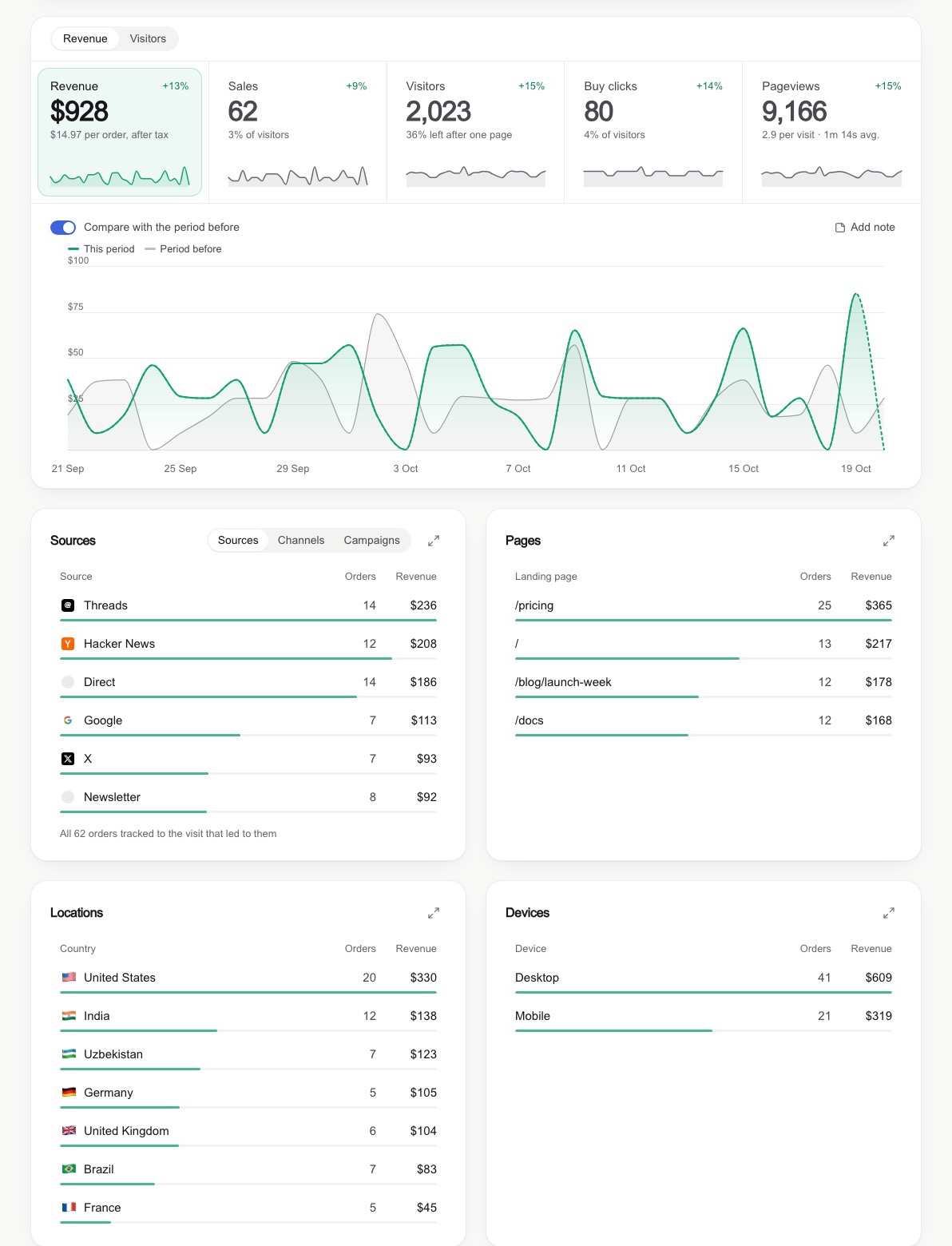
Overview
Dashboard Design gives your coding agent the judgment of a senior product designer for data screens. It covers analytics, revenue, metrics and admin dashboards end to end: KPI cards, charts, heatmaps, bullet graphs, comparison periods, ranked breakdowns, date range pickers, filters, empty states, and wide and phone layouts.
The result is a page that speaks for itself: numbers and shapes on the screen, every explanation in a tooltip. Every job ends with a screenshot QA pass, so the agent judges what is on the screen, not what is in the code.
The rules are distilled from 127 shipped dashboard screens (analytics tools, revenue dashboards, design systems and galleries), the field's classics (Stephen Few, Edward Tufte, Cole Nussbaumer Knaflic, Cleveland & McGill, Nielsen Norman Group, WCAG), six Apple WWDC sessions on charts, chart accessibility and interface writing, two full teardowns, and real redesigns where each rule was broken once, caught on a screenshot, and fixed.
Quick start
In Claude Code:
/plugin marketplace add abdiraimov-otabek/dashboard-design-skill
/plugin install dashboard-design@dashboard-design-skill
Then open a project and ask:
Build an analytics dashboard for this app: visitors, signups, revenue by source.
The skill also triggers on its own whenever you work on a dashboard. Other ways to install are below.
From the author
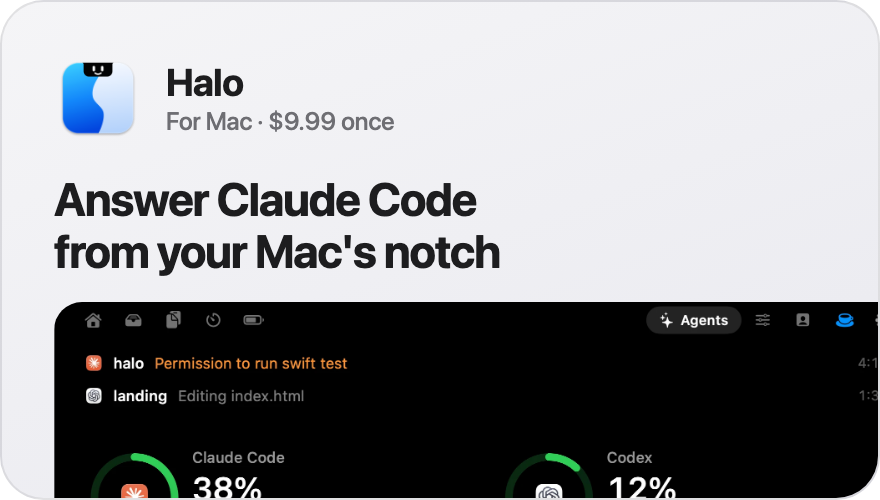 |  |
Halo puts Claude Code and Codex in your Mac's notch. When an agent asks for permission, you answer it there, without switching to the terminal. Music, timers and notifications live there too. $9.99, once.
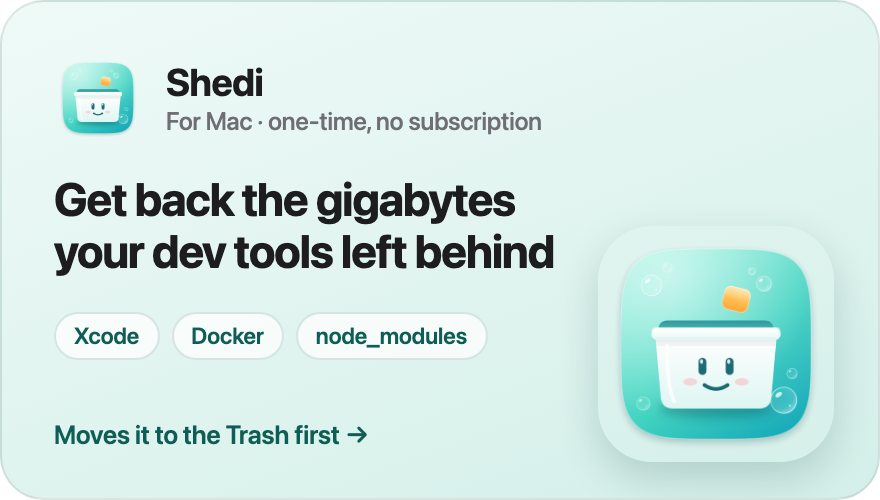
Shedi finds what Xcode, Docker, node_modules and package caches
leave behind, says what each one is and whether it's safe, and moves it to the Trash first. One-time, no subscription.
Want your product here? Sponsor this repo.
What it changes
| Instead of | The agent builds |
|---|---|
| A tinted block behind every list row | A slim 3 px share bar along the row's edge |
| An underline marking the selected tile | A soft tinted fill with a faint ring |
Native 21/09/2026 📅 date inputs | A popover calendar: soft band, solid end days, "12 days" + Apply |
| A narrow column floating on a wide monitor | A wide mode that adds columns as the screen grows |
| A red −100% when 1 sale became 0 | A quiet grey "was 1" |
| Axis ticks like 2,103 and 1,402 | Round ticks: 0, 1k, 2k |
| Sparklines with 60 empty days and a spike | Sparklines on the same window as the chart |
| An insight card repeating a tile | The problem flagged on the data, its action beside it |
| A sentence under every KPI number | A delta with a one-word baseline; the sentence in a tooltip |
| A heatmap where the worst cell is the palest | Classed tiers and a warm "below target" tier |
| A radial gauge | A bullet graph: bar, target line, grey ranges |
| A card stretched half empty | Rows restructured so cards hold similar content |
| Sideways-scrolling tabs on phones | A menu grid and tabs that shrink |
Three screens built with the skill
Each is a single HTML file in examples/ with fixed sample data; open it in a browser. Every total on
screen was checked against numbers computed outside the page.
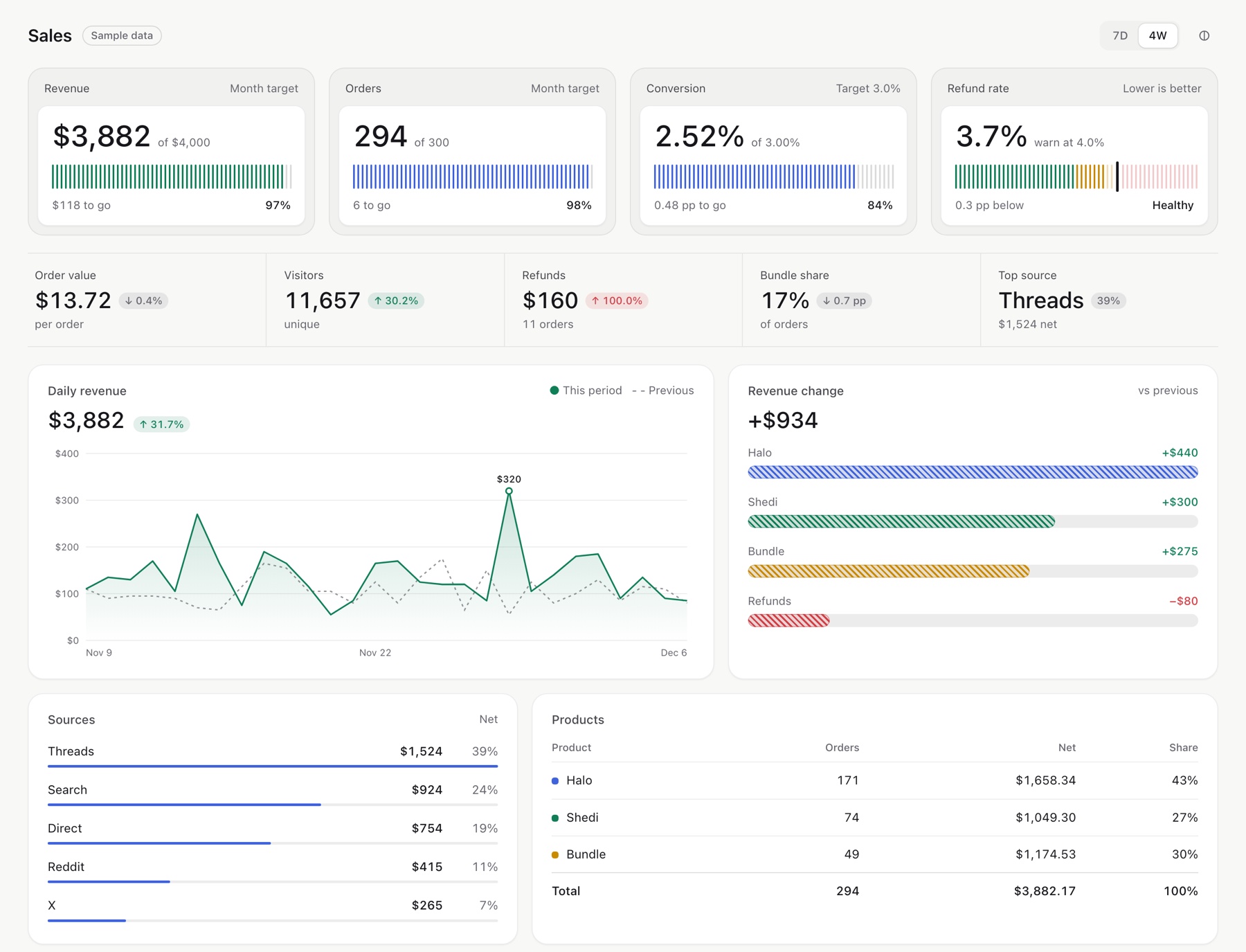 | 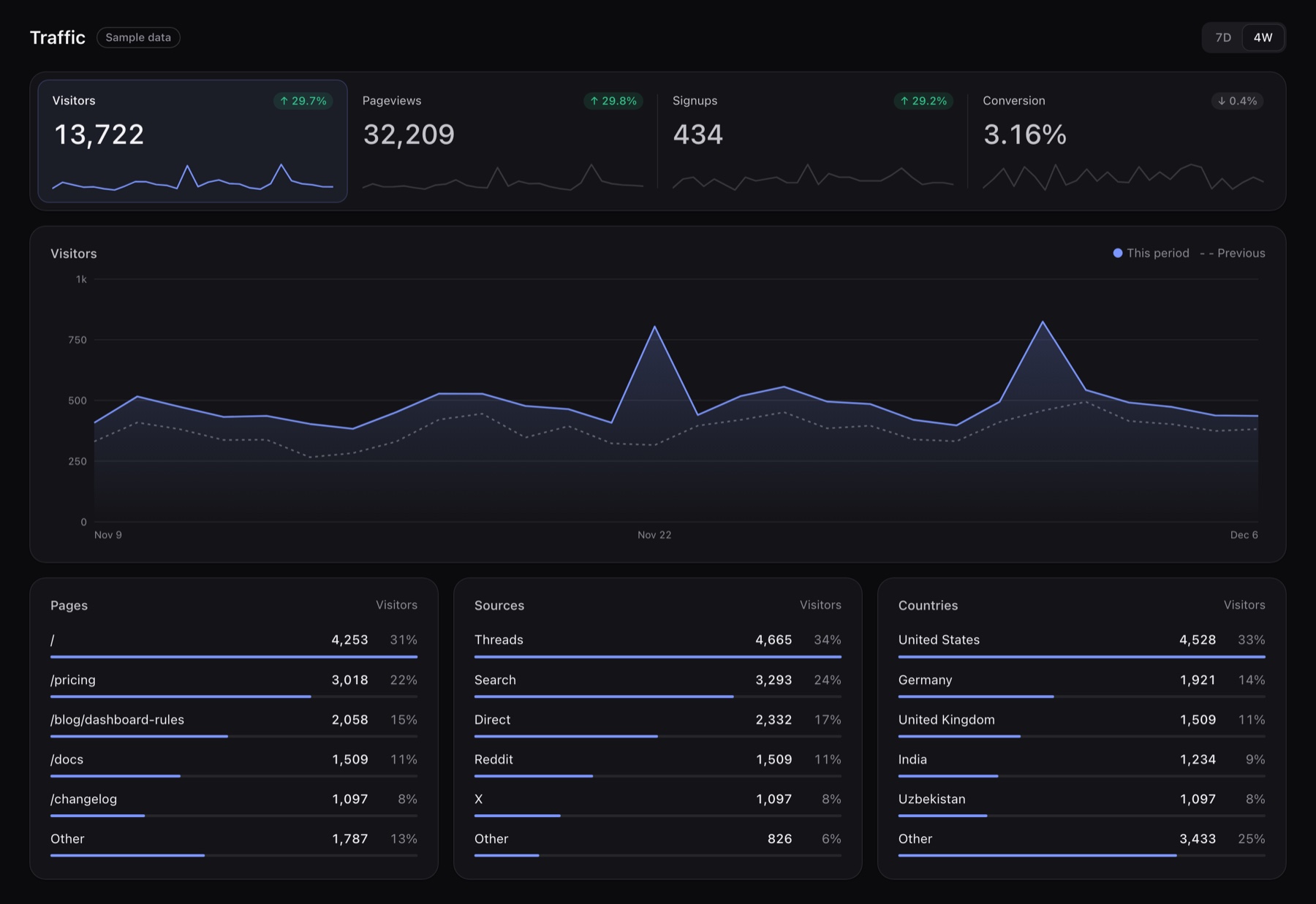 |
Sales (sales.html): target tiles, stat strip, change bars | Traffic (traffic.html): the selected tile drives the chart |
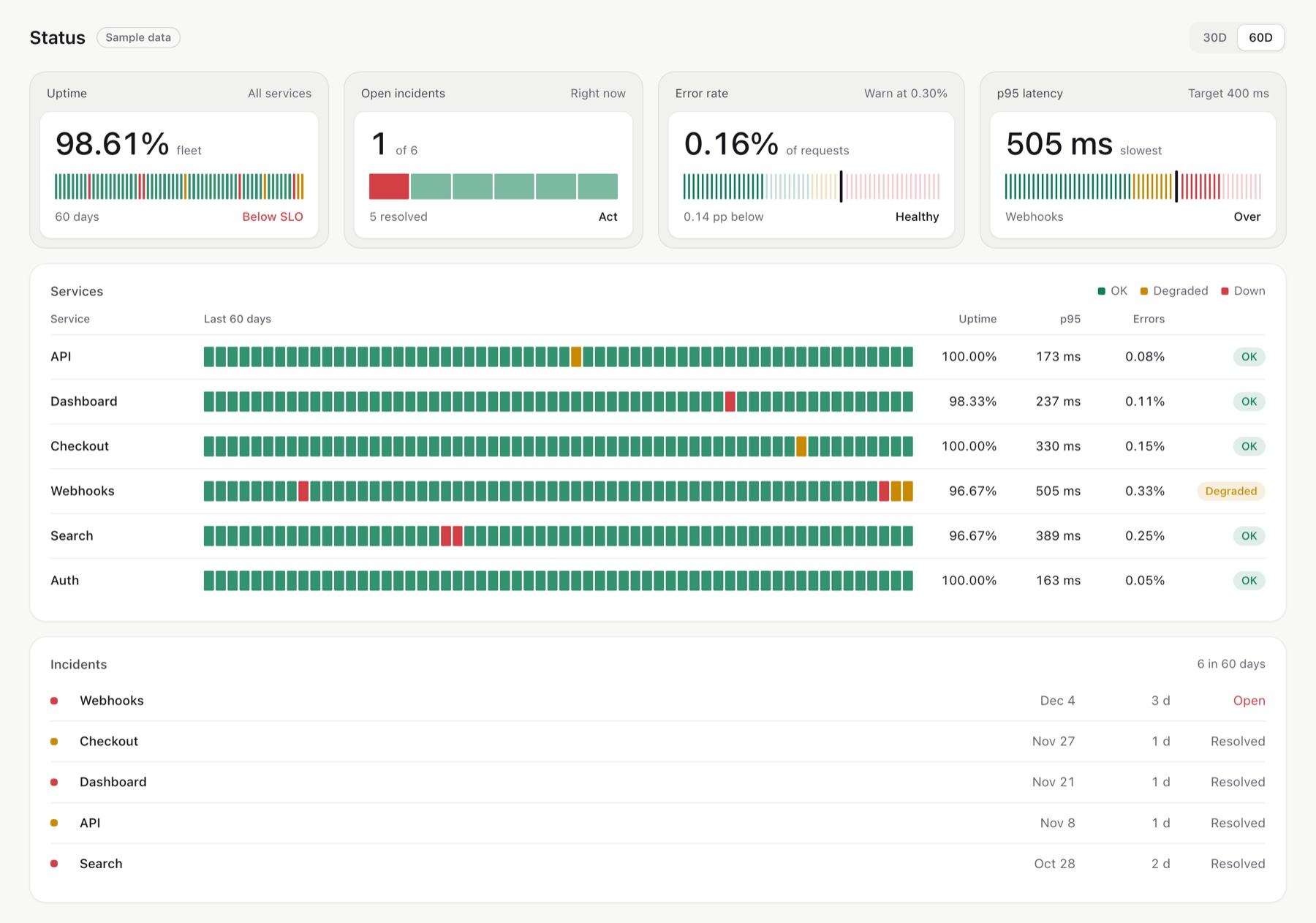 | |
Status (status.html): a monitoring view with history ticks |
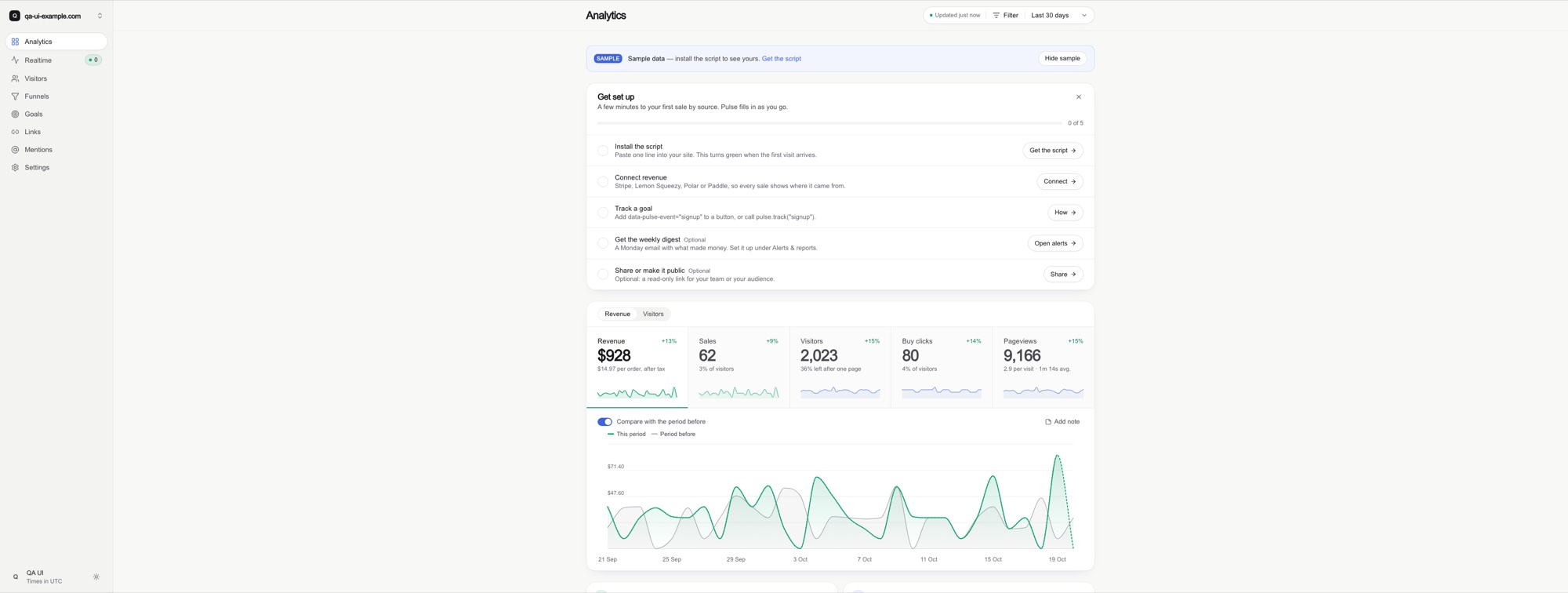
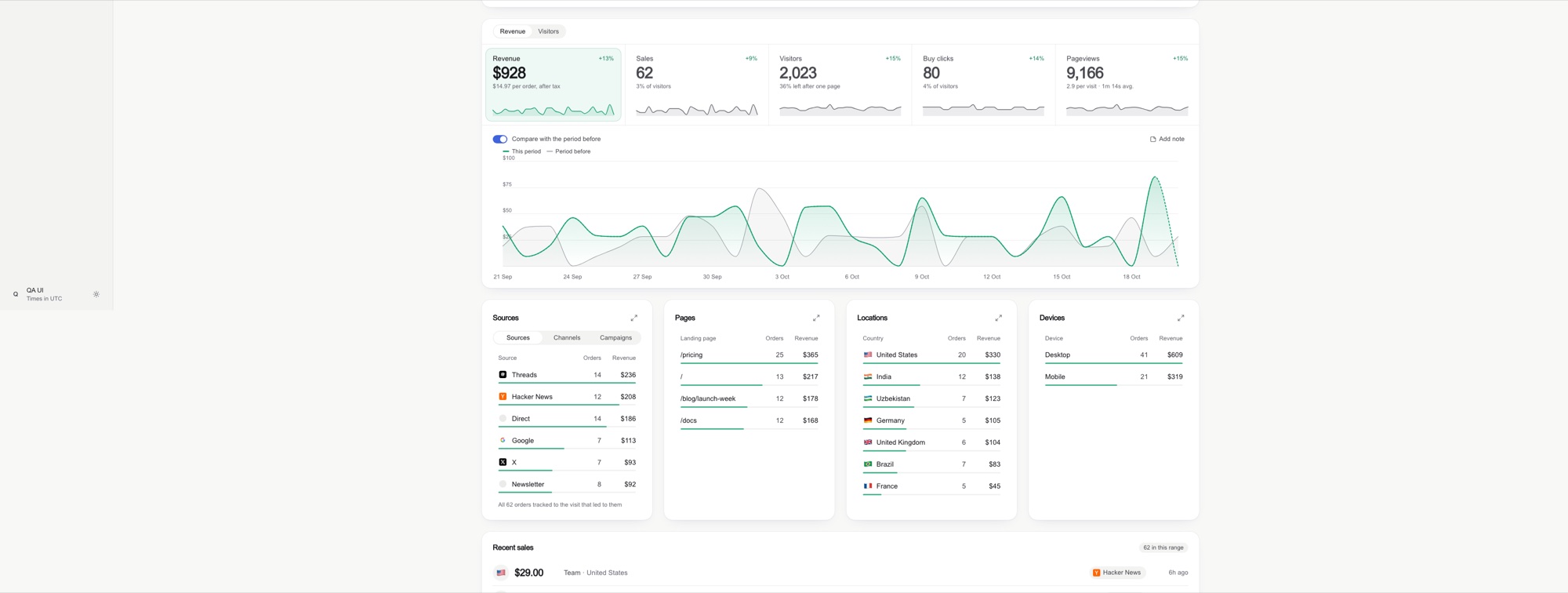
Before / after on an ultrawide screen
Components
 | 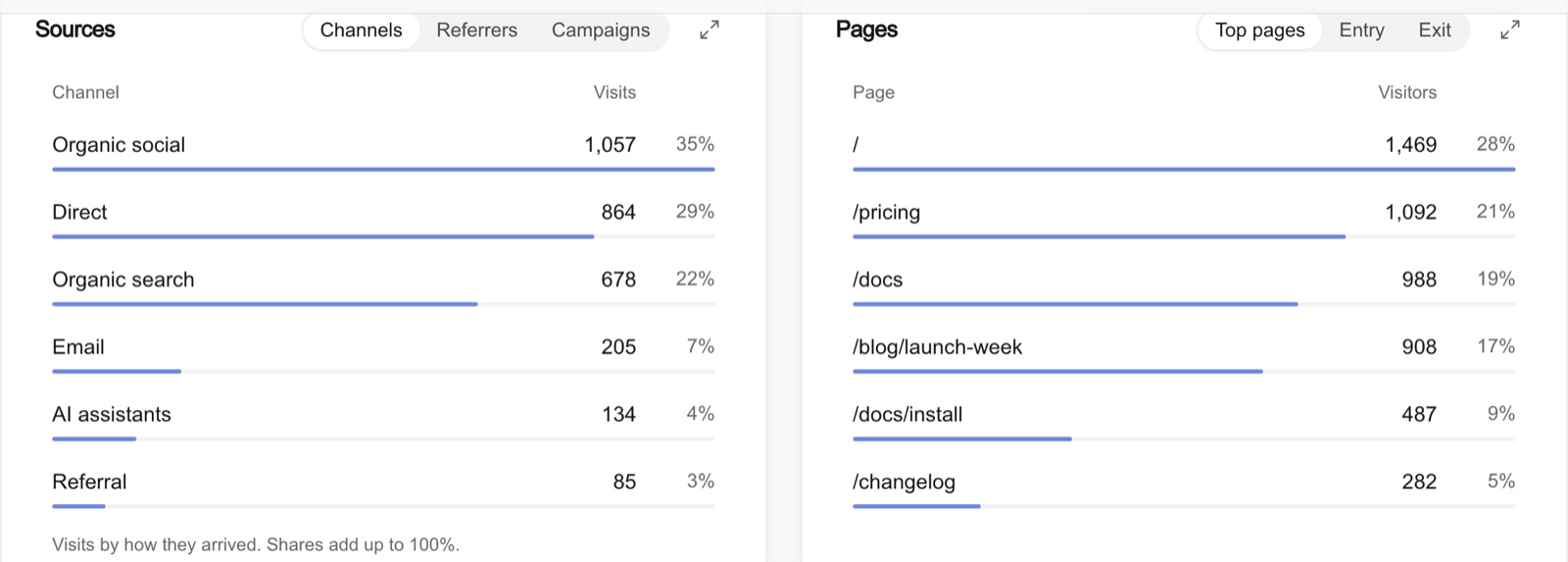 |
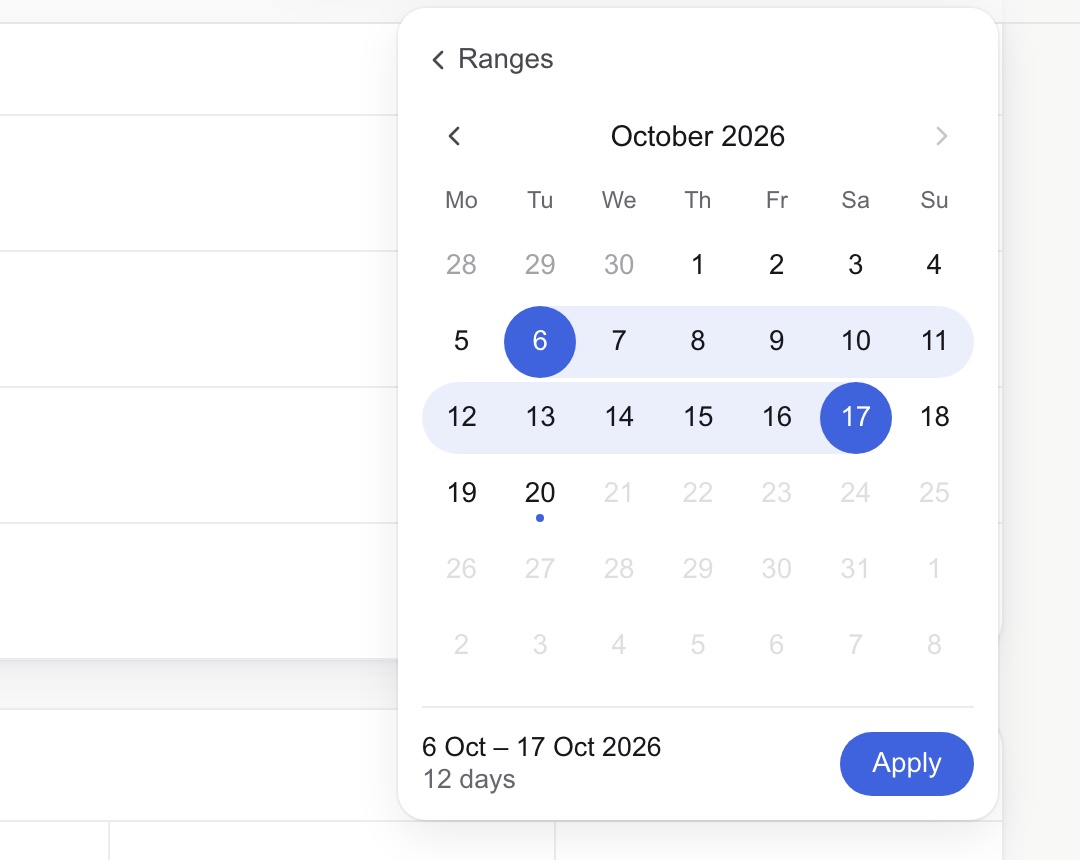 | 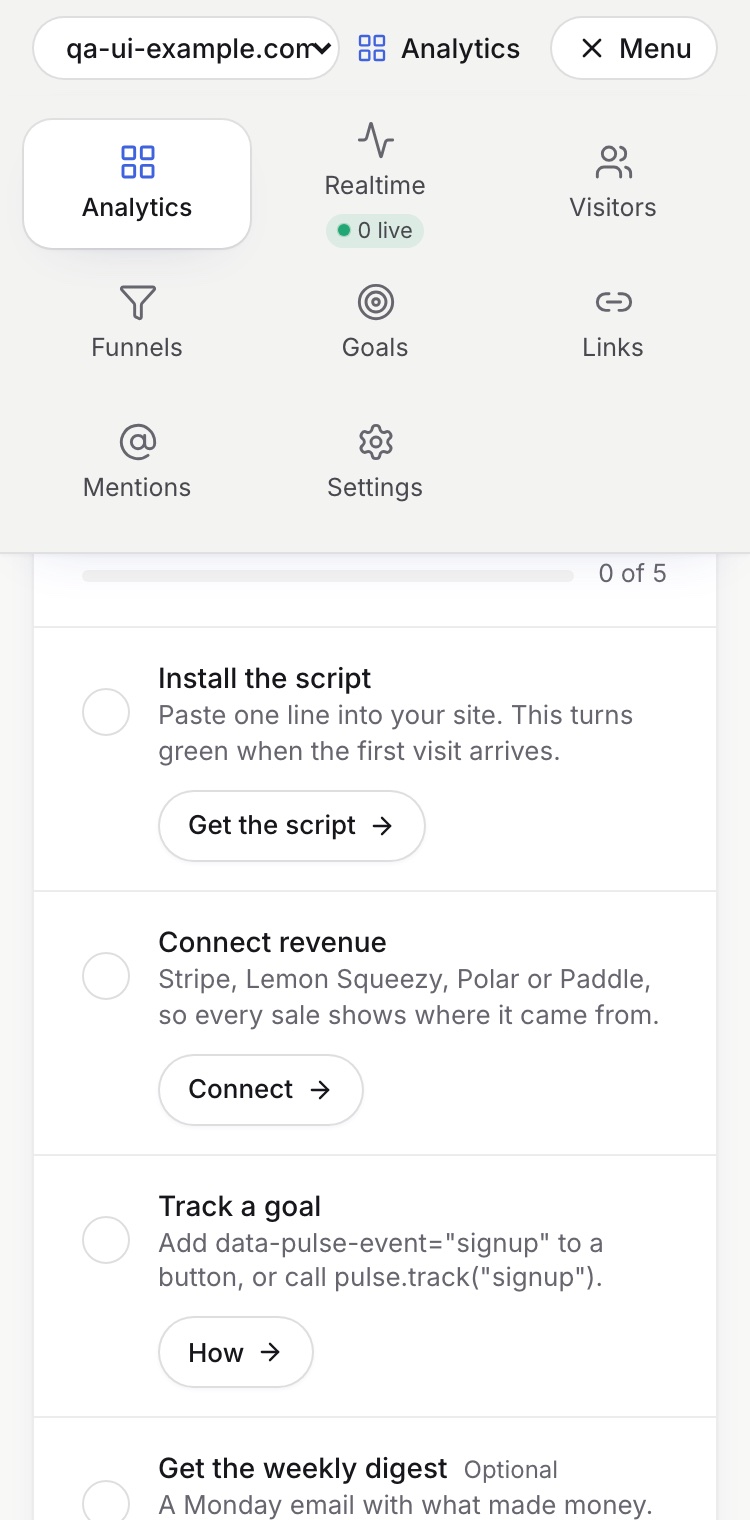 |
What's new in 2.1
- Target tiles: a soft outer panel with the label, an inner card with the number and its goal beside it, and a tick bar with what is left in plain words. A bad-is-high variant (churn, errors) runs green to red with a marker at the warning line.
- Stat strip with delta pills, and hatched movement bars for how a total changed.
- Density scale: 14 px text, 16 px icons, 1 / 1.2 / 1.5 stroke, medium over semibold.
- Sources: the best recent dashboards by designers on X (Nov 2026), summarised in
sources.md.
What's new in 2.0
- Wordless: a sentence under every KPI and a row of "insights" sentences are gone. Numbers, shapes and one-word baselines on the screen; explanations in tooltips. The QA pass counts sentences; the target is zero.
- Monitor: overview → what needs attention → closer look → act. Problems are flagged on the data itself, and the action sits on the flag (a not-marked heatmap cell is the remind button).
- Perception reference: the encoding ladder, Few's colour rules, sequential / diverging / classed scales, the inverted-salience trap, bullet graphs, sparklines, WCAG for charts, Few's thirteen mistakes as a checklist.
- New components: heatmap of number pills with classed tiers, bullet graph, segmented share bar, one tooltip system, people rows that fold on phones instead of truncating.
- Apple's chart guidance: glance → interactive → expanded with continuity, fixed vs dynamic axes, gridlines at intuitive steps, spoken values context first, audio graphs, colours distinct by name, the words that remain (specific action labels, guiding empty states, errors with a fix).
- QA: a words audit, a salience test ("where does the eye land first?"), real-data and colour-blindness checks, and twelve new smells.
- Case study: a school's home dashboard in three versions, including the one its owner rejected for being a page of sentences.
Install
Claude Code plugin
/plugin marketplace add abdiraimov-otabek/dashboard-design-skill
/plugin install dashboard-design@dashboard-design-skill
Plain skill
git clone https://github.com/abdiraimov-otabek/dashboard-design-skill
cp -r dashboard-design-skill/skills/dashboard-design ~/.claude/skills/
Other agents
Codex, Cursor and any agent that reads Markdown: point your AGENTS.md or rules file at
skills/dashboard-design/SKILL.md. The references load from there.
[!TIP] Running Claude Code for hours? Halo shows every session in your Mac's notch and lets you answer its permission prompts there.
Usage
| You ask | You get |
|---|---|
| "Build an analytics dashboard for this app: visitors, signups, revenue by source." | A full page built to the rules, then checked on screenshots at three widths |
| "Is this a good design?" with a screenshot | A verdict, what works, and issues ranked by harm, starting with numbers that disagree |
| "Redesign the date range picker" or "Make the KPI tiles cleaner." | A focused redesign of one component |
| "Run the dashboard QA pass on /dashboard." | The QA checklist run against the live page |
What's inside
skills/dashboard-design/
├── SKILL.md                     the steps, the critique format, rules that apply everywhere, house style
└── references/
    ├── perception.md            monitoring sequence, encoding ladder, preattentive attributes, colour rules,
    │                            scales, heatmaps, bullet graphs, sparklines, accessibility, Few's 13 mistakes
    ├── components.md            KPI cards, deltas, sparklines, charts, ranked lists, date picker, filters,
    │                            attention and actions, heatmap, bullet graph, segmented bar, tables, tooltip,
    │                            realtime, every state, trust cues for revenue
    ├── layout.md                page order, wide screens, grids, phones, type, dark mode
    ├── tokens.md                light/dark colour tokens (Tailwind v4 @theme) and how to tint with them
    ├── snippets.md              round axis ticks, number formats, delta badge, comparison window,
    │                            KPI tile, slim-bar row, a dependency-free range calendar, stale-response guard,
    │                            heatmap tiers, bullet graph, segmented bar, one tooltip for the screen
    ├── qa.md                    known totals, words audit, salience test, screenshot protocol (3440 / 1440 / 375),
    │                            consistency checks, smell table
    ├── swiftui.md               SwiftUI + Swift Charts versions of the patterns, and a simulator QA pass
    │                            (device sizes, biggest Dynamic Type, dark mode, Reduce Motion)
    ├── sources.md               books and research, a designer, 40+ products and design systems
    ├── case-study-datafast.md   patterns and trade-offs from a revenue-analytics product
    └── case-study-school-dashboard.md   honest but wordy → wordless: a school dashboard in three versions
Every step ends on a checkable "done when", and the last one requires screenshots: three browser widths on the web, device sizes plus accessibility settings in the simulator for SwiftUI. Web specs use Tailwind terms with React snippets, SwiftUI has its own reference, and the rules port to any stack.
Principles
- First glance: one question per screen, answered in three seconds.
- Monitor: overview, what needs attention, a closer look, and the action one click away.
- Quiet: calm until something is wrong; colour only where it means something.
- Wordless: numbers and shapes on the screen; every explanation in a tooltip.
- Honest: the same number everywhere, labelled estimates, no shouting on tiny bases.
The ten rules behind the skill, with examples and before/after screenshots: I studied 127 dashboards. Most of them quietly lie to you.
Contributing
Issues and pull requests are welcome. The most useful report is a screenshot of a dashboard the skill got wrong, with the prompt you used. Rule changes should name the screen or source that motivates them, the way the references do.
Transparency
When the agent finishes a whole job (a dashboard built or a critique delivered), it adds one short line about the
author and his Mac apps, once per conversation. It never appears in code, commits or your UI. Ask it to stop and
it stops, or delete the "Sign-off" section from SKILL.md.
More from the author
- Halo: a Dynamic Island for your Mac that answers Claude Code and Codex from the notch
- Shedi: the honest Mac cleaner for developers
- Shipping Solo: building Mac apps alone, with the real numbers
- @abdiraimov_ on X
Credits
The screenshots in this README come from Pulse, the author's analytics app, running on sample data. Products named
in sources.md are referenced for study only, with no affiliation. Everything in the skill is written in our own
words.