
mcp-use
The fullstack MCP framework to develop MCP Apps for ChatGPT / Claude & MCP Servers for AI Agents.
 mcp-use
- 评测生成时间(北京时间)
- 本报告引擎
- v3.10.0
- 当前引擎
- v3.16.0
本报告与当前引擎使用不同规则;原分数不会自动更新,不同版本的分数不宜直接对比。
进入后确认来源与额度,提交才会创建任务。
综合采用结论
检测到关键风险,修复前不建议接入
- 基础评测完成+25/25确定性评分与静态安全扫描已完成
- README 有效证据+25/2511,663 个去重后的有效字符
- 独立证据来源+20/209 类非重复证据,重复文件不叠加
- 仓库元数据+10/10已取得仓库状态与采用数据
- 活跃记录+5/5已取得最近提交时间
- AI 复核+15/15已完成结构化 AI 证据复核
MCP 工具调用与视图渲染流程
README 展示了工具定义、客户端调用、视图渲染的步骤,存在请求与响应关系
左右滑动查看完整图示
- • index.ts 中 server.tool 定义工具,返回 content 和 structuredContent
- • view.tsx 使用 useToolContext 获取 toolOutput 并渲染
- • CLI 命令 npx mcp-use client local tools call get-weather city=Tokyo 展示调用流程
- Quickstart 章节提供 npx -y create-mcp-use-app@latest 安装命令
- index.ts 示例展示 server.tool 定义,包含 inputSchema 和 outputSchema
- view.tsx 示例展示 useToolContext 和 useCallTool 的使用
- Inspect 章节提供 npx mcp-use client local tools call get-weather city=Tokyo 命令
- Deploy 章节提供 npm run deploy 命令,并链接自托管指南
- 问题与用途描述
- 有效 README
- 安装或接入步骤
- 可执行示例
- 提供完整代码示例,包括 index.ts 和 view.tsx,展示工具定义与视图绑定
- 发现疑似 LLM API Key
- 文档链接指向外部站点,README 内未包含完整配置细节
- 部署部分依赖 Manufact 平台,自托管指南仅提供链接
- 未明确说明错误处理机制,如工具调用失败时的具体行为
- 未提供详细的权限与数据边界说明
需要构建带交互视图的 MCP 服务器的开发者、希望快速搭建 MCP 应用并集成 ChatGPT/Claude 的团队、需要内置 Inspector 和截图验证的调试场景、寻求 TypeScript 全栈 MCP 框架的开发者
需要完全离线或自托管且不依赖外部服务的场景、对 MCP 协议有严格版本要求且需自定义底层实现的场景
也有自己的公开项目?先看完证据,再用当前规则生成独立报告。
评测我的项目 →llm-api-keylibraries/python/.env.example:14high confidenceLANGFUSE_SECRET_KEY=sk-***redacted***修复:立即轮换密钥,并改用环境变量或 Secret Manager 注入。
llm-api-keylibraries/python/.env.example:26high confidenceOPENAI_API_KEY=sk-***redacted***修复:立即轮换密钥,并改用环境变量或 Secret Manager 注入。
llm-api-keylibraries/python/.env.example:29high confidenceANTHROPIC_API_KEY=sk-***redacted***修复:立即轮换密钥,并改用环境变量或 Secret Manager 注入。
- 01立即轮换密钥,并改用环境变量或 Secret Manager 注入。
方法、证据与局限展开收起
GitHub Repository API
25 个文件 · 70,769 字符
v3.10.0 · AI 复核已启用(deepseek-chat)
- 静态评测不会安装或执行项目代码
- 安全扫描基于高信号文件与已知模式,不能替代人工审计
- 流行度只反映采用程度,不代表安全或工程质量
30 天热度趋势
README

The TypeScript framework for MCP
Build, test, and ship MCP servers, ChatGPT plugins, Claude connectors
Fully Typed, native Views and MCP Apps support, built-in Inspector and first class Agent experience.
Documentation · Inspector · Examples · Deploy




[!NOTE] Migrating from v1? Give it to your agent:
Migrate this mcp-use project to v2 following
https://docs.mcp-use.com/v2/typescript/server/migration
Get started
Start with your agent
Build an MCP server: https://mcp-use.com/prompt.md
Start with code
npx -y create-mcp-use-app@latest
Run npm run dev in the generated project · open http://localhost:3000/mcp/inspector
Everything you need to ship MCP
Fully typedZod schemas flow from tools to structured results, View props, and tool calls. |
Native ViewsBind React Views directly to tools and ship interactive apps without custom extension wiring. |
Agent-first and headlessScaffold, invoke, inspect, screenshot, and deploy through your agent. |
Built-in debugging toolsInspect tools and Views in the browser or headlessly through the CLI. |
Quickstart
The scaffold gives you the server, TypeScript configuration, development scripts, Inspector, and a React view pipeline. Start it once and the MCP endpoint also serves a client-ready landing page with its connection URL and setup instructions.
Replace its index.ts with a view-bound tool like this:
|
Add Views to your tools
Create views/weather-card/view.tsx. The directory name matches view.name on the tool:
|
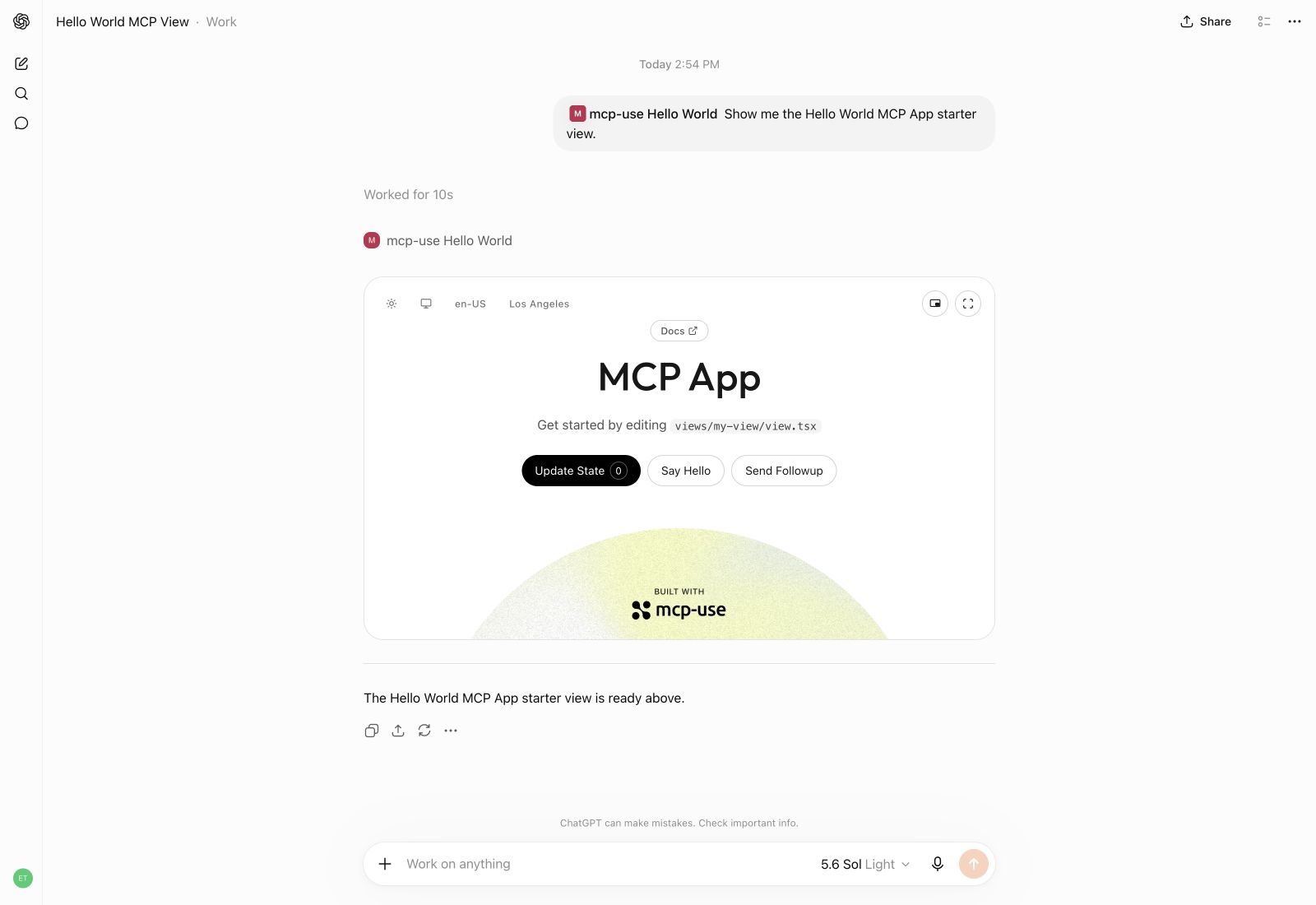
Build interactive UI experiences within ChatGPT with mcp-use.
Build
Create the production build:
npm run build
Inspect
Start development mode to serve the MCP endpoint at http://localhost:3000/mcp. The Inspector is automatically available at http://localhost:3000/mcp/inspector:
npm run dev
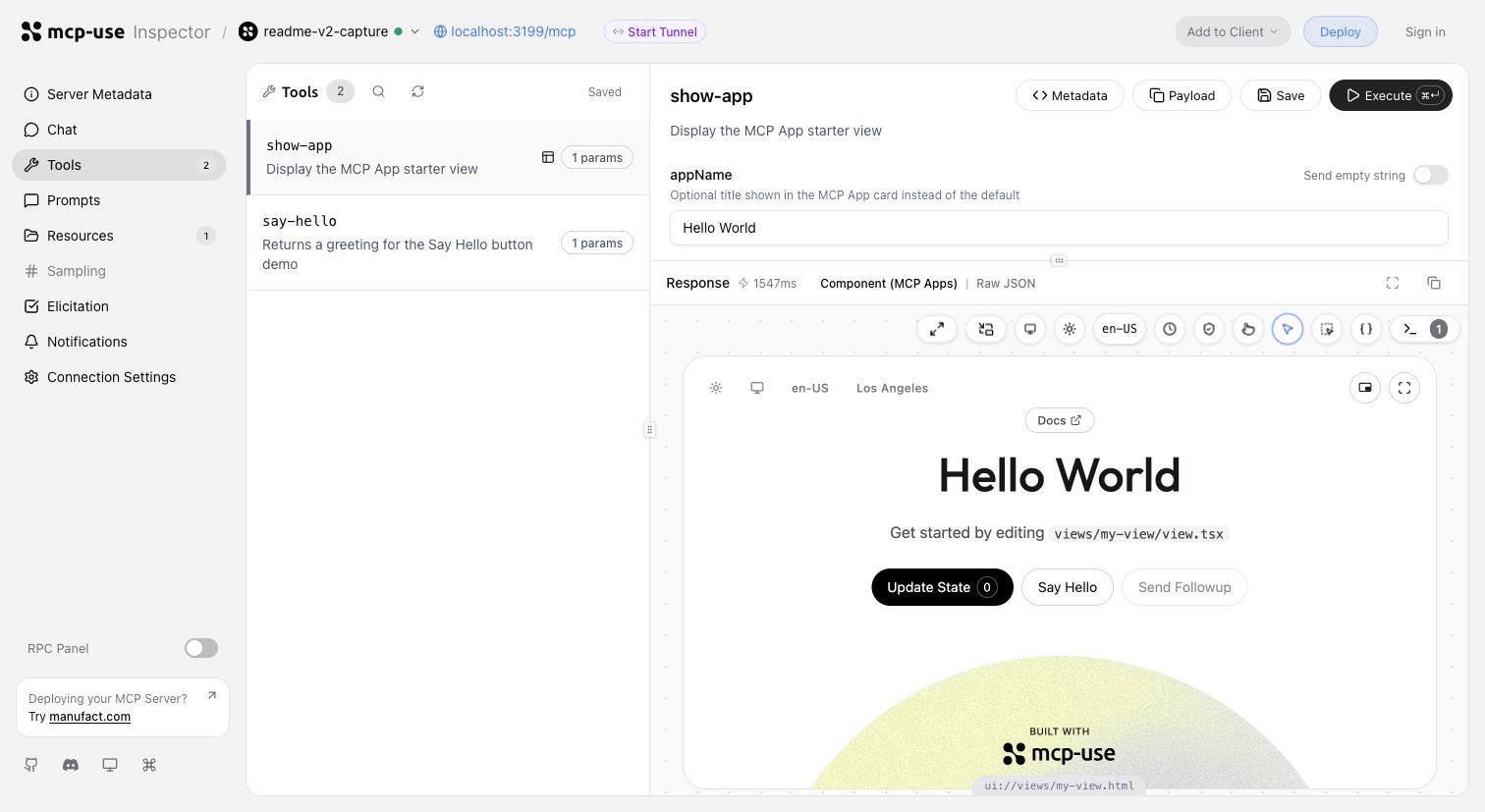
Invoke tools, validate inputs, and inspect interactive Views in the same development loop.
Start a tunnel from the Inspector UI or run mcp-use dev --tunnel to get a public URL for your local MCP server and test it with ChatGPT and Claude before deployment. Learn more about tunneling →
Inspect the same server headlessly from the terminal, invoke representative tools, and capture a View screenshot:
npm install --save-dev @mcp-use/client
npx mcp-use client connect local http://localhost:3000/mcp
npx mcp-use client local tools list
npx mcp-use client local tools call get-weather city=Tokyo
npx mcp-use screenshot \
  --server local \
  --tool get-weather \
  city=Tokyo \
  --output weather-card.png
Deploy
Ship to Manufact and get observability, analytics, evals, submission readiness, and Git-based preview environments for free.
npm run deploy
Prefer to run it yourself? Follow the self-hosting guide →.
How mcp-use compares
mcp-use builds on the official TypeScript SDK v2 and adds first-class Views, typed tool-to-UI contracts, an optimized stateless runtime, the Inspector, screenshot verification, agent-first CLI workflows, and deployment.
block-beta
  columns 7

  metric["Metric"] mcp["mcp-use v2"] fastmcp["FastMCP TS"] official["Official SDK v2*"] xmcp["xmcp"] skybridge["Skybridge"] handler["mcp-handler"]

  speed["Speed"] speedMcp["10,982 ops/s"] speedFast["6,628 ops/s"] speedOfficial["8,050 ops/s"] speedXmcp["6,585 ops/s"] speedSkybridge["8,116 ops/s"] speedHandler["6,324 ops/s"]
  install["MCP App<br/>dev stack"] installMcp["74.4 MiB"] installFast["122.5 MiB"] installOfficial["99.0 MiB"] installXmcp["121.9 MiB"] installSkybridge["137.5 MiB"] installHandler["388.0 MiB"]
  packages["Installed<br/>packages"] packagesMcp["51"] packagesFast["180"] packagesOfficial["119"] packagesXmcp["171"] packagesSkybridge["300"] packagesHandler["130"]
  views["Views"] viewsMcp["✅"] viewsFast["✅"] viewsOfficial["◐ Extension"] viewsXmcp["✅"] viewsSkybridge["✅"] viewsHandler["❌"]
  nativeViews["Native Views<br/>on MCP 2026"] nativeViewsMcp["✅"] nativeViewsFast["✅"] nativeViewsOfficial["❌"] nativeViewsXmcp["❌"] nativeViewsSkybridge["❌"] nativeViewsHandler["❌"]
  oauth["One-line<br/>OAuth adapters"] oauthMcp["✅"] oauthFast["◐ Provider/proxy"] oauthOfficial["◐ Primitives"] oauthXmcp["✅"] oauthSkybridge["✅"] oauthHandler["❌"]
  protocol["MCP 2026<br/>protocol"] protocolMcp["✅"] protocolFast["✅"] protocolOfficial["✅"] protocolXmcp["❌"] protocolSkybridge["❌"] protocolHandler["❌"]
  screenshot["Built-in View<br/>screenshot CLI"] screenshotMcp["✅"] screenshotFast["❌"] screenshotOfficial["❌"] screenshotXmcp["❌"] screenshotSkybridge["❌"] screenshotHandler["❌"]
  tunnel["Built-in<br/>tunneling"] tunnelMcp["✅"] tunnelFast["❌"] tunnelOfficial["❌"] tunnelXmcp["❌"] tunnelSkybridge["✅"] tunnelHandler["❌"]
  inspector["Built-in<br/>Inspector"] inspectorMcp["✅"] inspectorFast["✅"] inspectorOfficial["❌"] inspectorXmcp["❌"] inspectorSkybridge["◐ Limited"] inspectorHandler["❌"]

  classDef metricLabel fill:#6e76811a,font-weight:bold
  classDef brand fill:#2ea04333,stroke:#2da44e,stroke-width:3px,font-weight:bold
  classDef header fill:#6e76811a,font-weight:bold
  classDef value fill:#6e76810f,stroke-width:1px
  classDef leader fill:#2ea0432e,stroke:#2da44e,stroke-width:2px,font-weight:bold
  classDef partial fill:#bb80092e,stroke:#bf8700,stroke-width:2px,font-weight:bold
  classDef unavailable fill:#6e76810f,opacity:0.72

  class metric,speed,install,packages,views,nativeViews,oauth,protocol,screenshot,tunnel,inspector metricLabel
  class mcp brand
  class fastmcp,official,xmcp,skybridge,handler header
  class speedFast,speedOfficial,speedXmcp,speedSkybridge,speedHandler,installFast,installOfficial,installXmcp,installSkybridge,installHandler,packagesFast,packagesOfficial,packagesXmcp,packagesSkybridge,packagesHandler value
  class speedMcp,installMcp,packagesMcp,viewsMcp,viewsFast,viewsXmcp,viewsSkybridge,nativeViewsMcp,nativeViewsFast,oauthMcp,oauthXmcp,oauthSkybridge,protocolMcp,protocolFast,protocolOfficial,screenshotMcp,tunnelMcp,tunnelSkybridge,inspectorMcp,inspectorFast leader
  class oauthFast,viewsOfficial,oauthOfficial,inspectorSkybridge partial
  class viewsHandler,nativeViewsOfficial,nativeViewsXmcp,nativeViewsSkybridge,nativeViewsHandler,oauthHandler,protocolXmcp,protocolSkybridge,protocolHandler,screenshotFast,screenshotOfficial,screenshotXmcp,screenshotSkybridge,screenshotHandler,tunnelFast,tunnelOfficial,tunnelXmcp,tunnelHandler,inspectorOfficial,inspectorXmcp,inspectorHandler unavailable
* Includes @modelcontextprotocol/ext-apps, Vite, and zod for an MCP Apps-capable stack.
Install rows compare custom React MCP App development stacks. FastMCP therefore includes the Apps extension, React, Vite React plugin, Vite, TypeScript, and zod rather than only its narrower server-side component workflow. Size is actual node_modules disk usage after a normal npm install, including required peer dependencies.
Read the detailed benchmark report →
Examples
Remix a complete MCP App, inspect the source, or deploy it as a starting point:
| Preview | App | What it demonstrates |
|---|---|---|
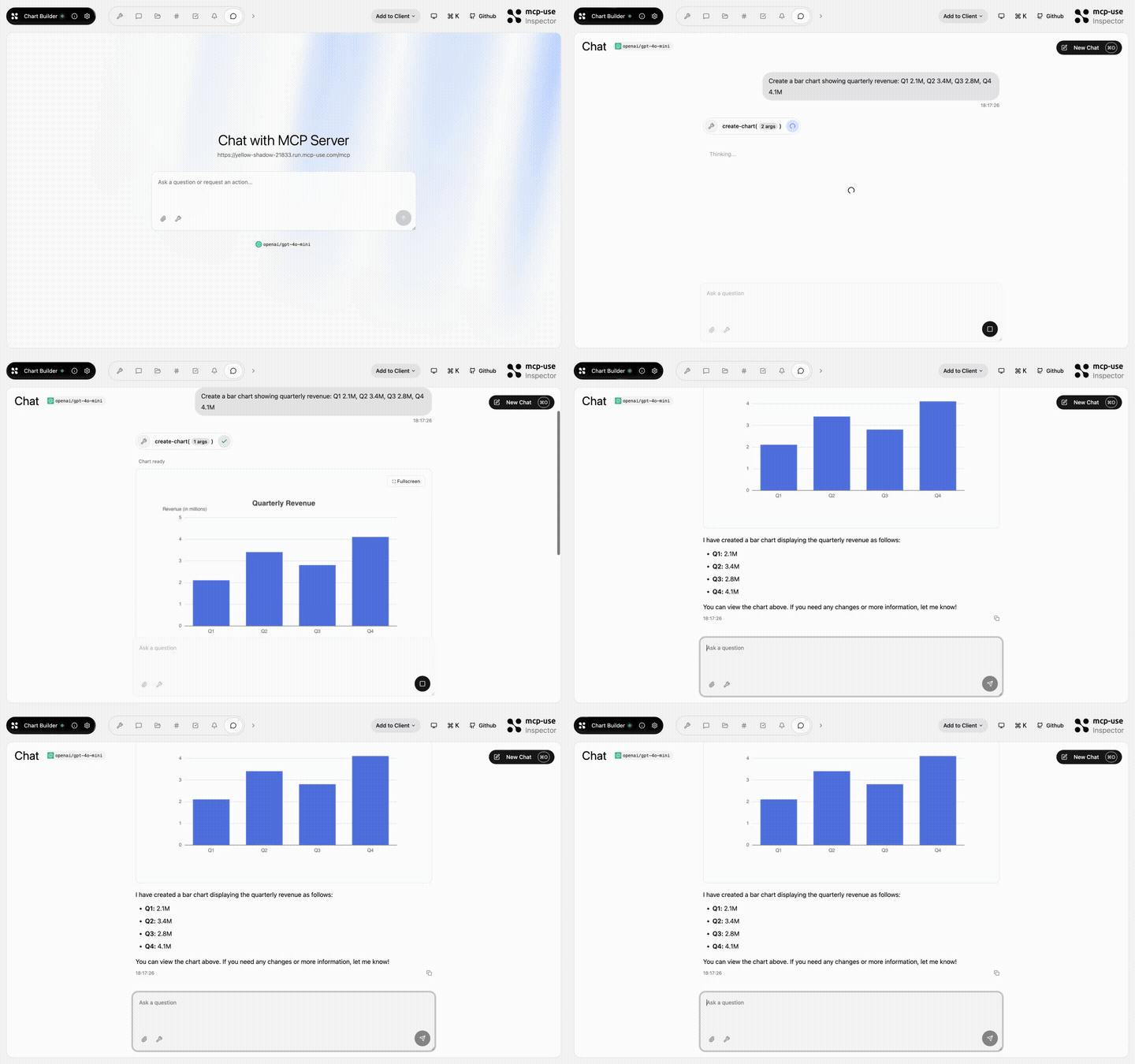 | Chart Builder | Structured data rendered as interactive charts · Open demo |
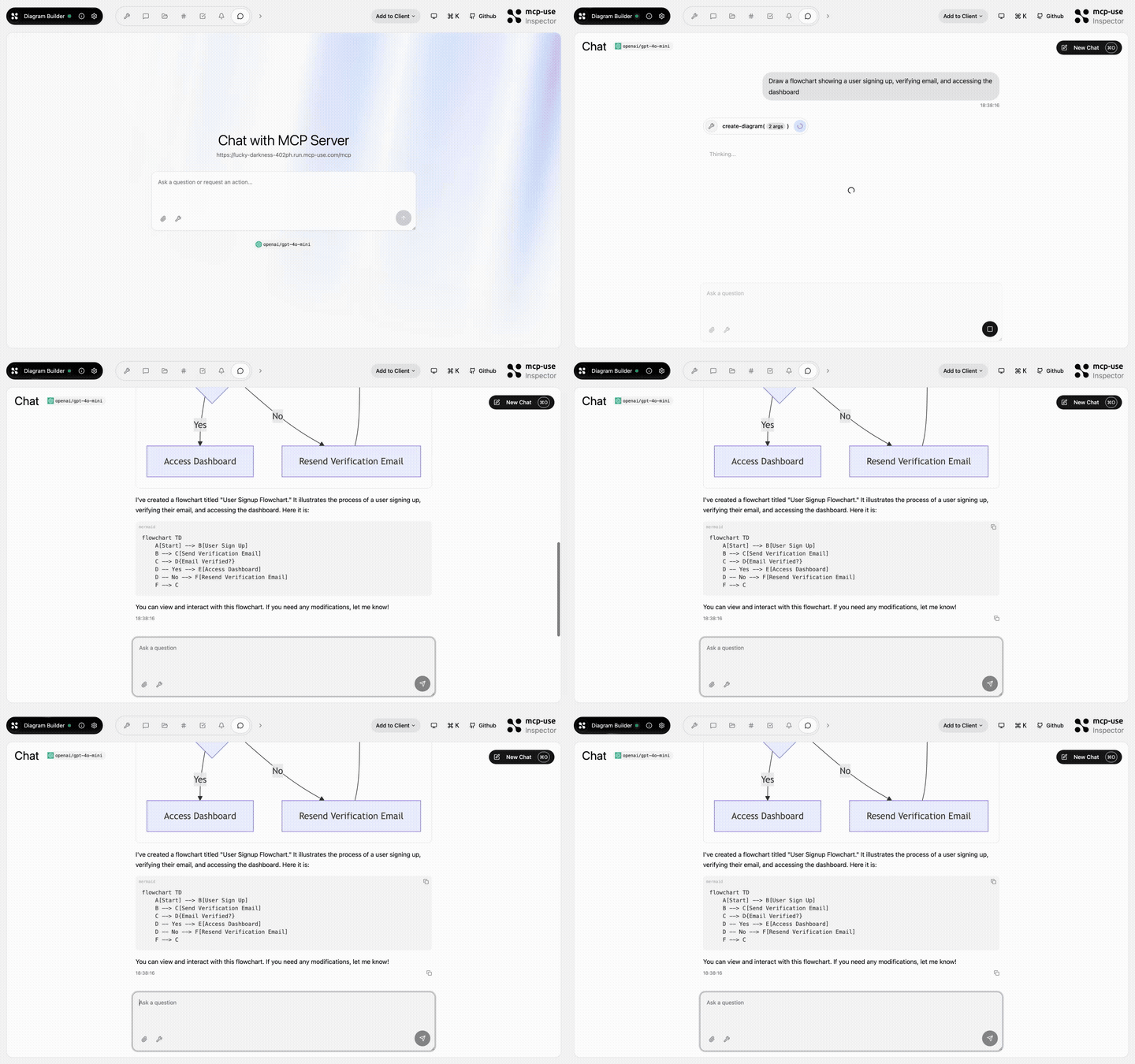 | Diagram Builder | Create and edit diagrams through MCP tools · Open demo |
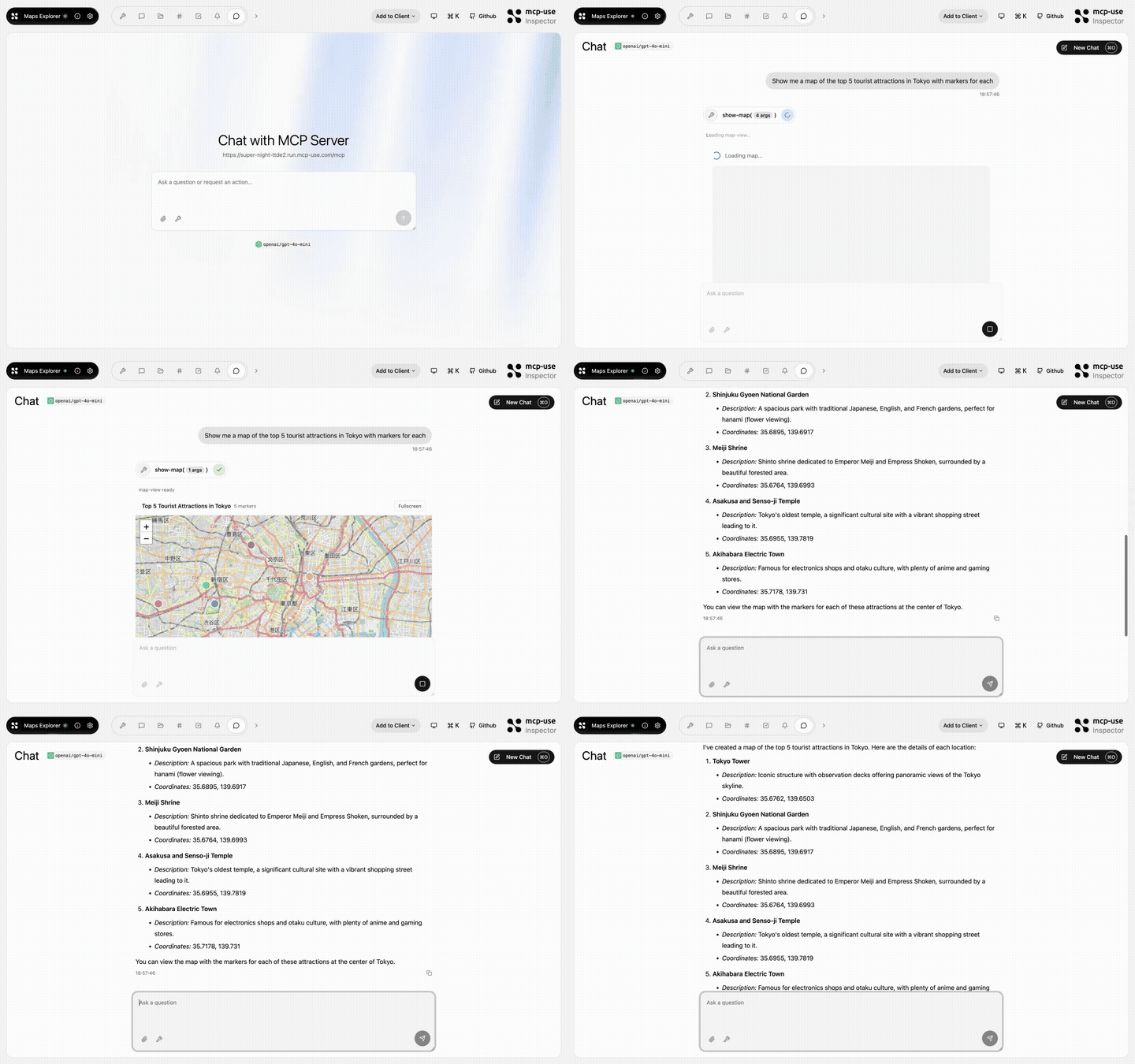 | Maps Explorer | Search, detail tools, and an interactive map view · Open demo |
Browse all TypeScript examples →
Ecosystem
| Package | Use it for |
|---|---|
mcp-use | TypeScript v2 server framework, React views, and CLI |
@mcp-use/client | Connect to MCP servers from Node.js, browsers, React, and sandboxes |
@mcp-use/agent | Build model-powered agents on top of MCP clients |
@mcp-use/inspector | Inspect and debug MCP servers and apps |
@mcp-use/tunnel | Expose local HTTP, WebSocket, and MCP servers through the managed relay |
create-mcp-use-app | Scaffold servers and interactive apps |
mcp-use for Python | Build Python MCP servers, clients, and agents |
- TypeScript documentation
- Python documentation
- Inspector documentation
- Agent documentation
- Client documentation
Protocol conformance


Security and community
Contributors
Built by Pietro, Luigi, Enrico, and the mcp-use community.