
rea
Reverse engineer anything with agents, from app behavior down to native binaries.
 morluto
- 评测生成时间(北京时间)
- 本报告引擎
- v3.16.0
- 当前引擎
- v3.16.0
规则版本一致,但报告只反映生成时的证据,不代表项目代码和安全状态始终不变。
进入后确认来源与额度,提交才会创建任务。
综合采用结论
证据充分,整体质量与安全表现优秀
- 基础评测完成+25/25确定性评分与静态安全扫描已完成
- README 有效证据+25/2512,356 个去重后的有效字符
- 独立证据来源+20/205 类非重复证据,重复文件不叠加
- 仓库元数据+10/10已取得仓库状态与采用数据
- 活跃记录+5/5已取得最近提交时间
- AI 复核+15/15已完成结构化 AI 证据复核
REA 调查请求与证据回传流程
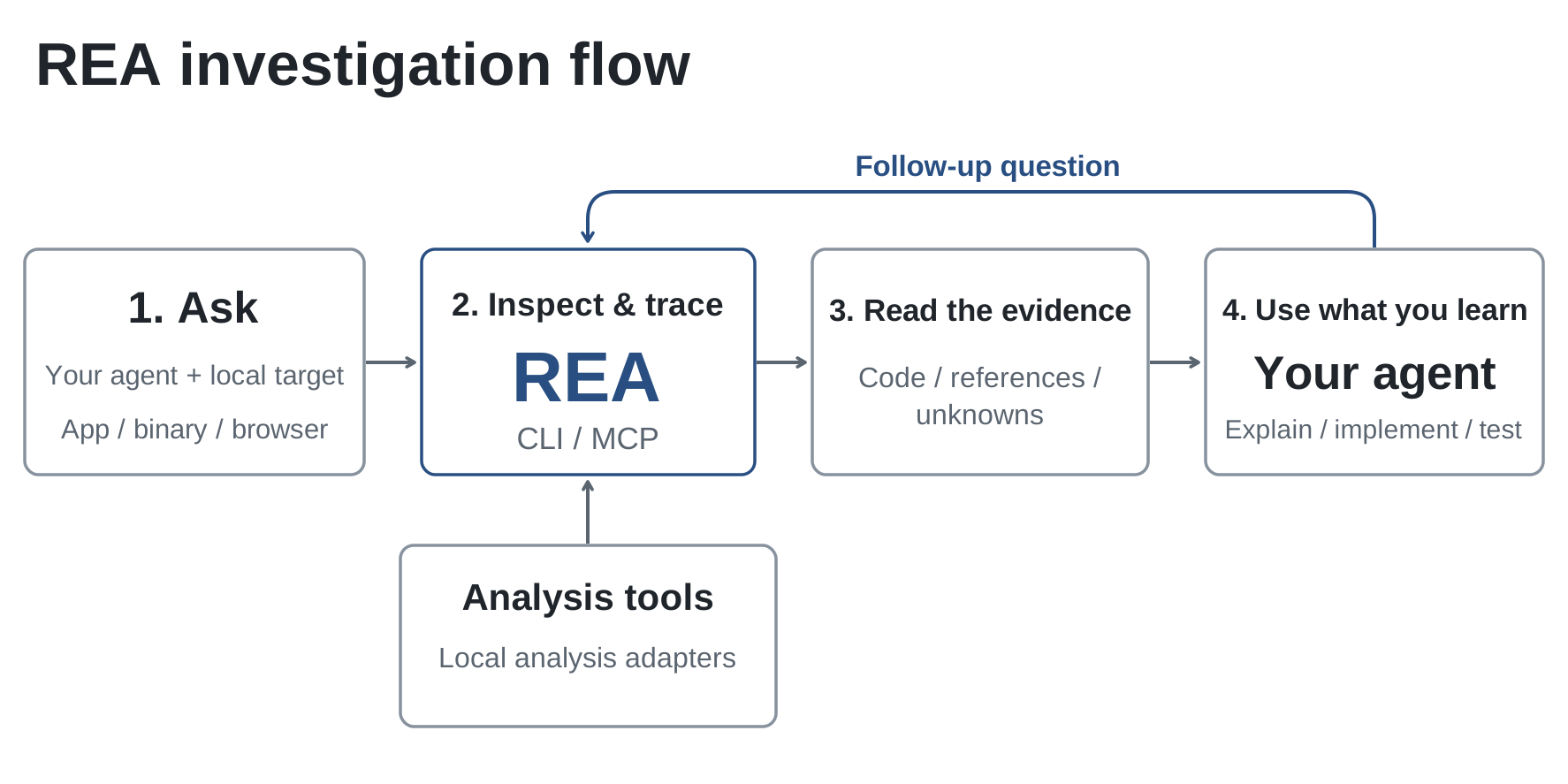
README 的 How REA works 与 investigation flow 图描述 Agent 经 MCP 请求、REA 检查目标并回传证据、Agent 据此解释与实现,属于多参与方请求-响应流程
左右滑动查看完整图示
- • README How REA works:Your agent calls REA through MCP to inspect the target and trace relevant code
- • README:REA returns findings with their evidence,agent 据此解释行为或编写并测试实现
- • README 目标表:Native binaries 需 Hopper、Ghidra 或 IDA 作为分析引擎
- 未通过: Agent Skills 格式校验 0/1 个通过
- README Quick start:npx rea-agents setup 注册 MCP 并安装匹配工作流说明,支持 Claude Code、Codex、Cursor、Gemini CLI
- README 终端示例:npx -y rea-agents@latest analyze-javascript-application /absolute/path/to/app --json 返回 modules、imports、Electron boundaries 及证据
- README 目标表:Native binaries 需 Hopper/Ghidra/IDA;JavaScript/Electron 仅需 Node.js 与 npm;Websites 需 Chrome 系浏览器
- SKILL.md:setup --dry-run --json 生成只读计划,需批准后才写入配置或安装 Hopper;REA setup 不安装 Node.js、Java、Ghidra、JADX 等
- SKILL.md:结论须区分 observations、inferences、unknowns,引用 Evidence ID,并保留 limitations 与不完整覆盖
- 问题与用途描述
- 有效 README
- 安装或接入步骤
- 可执行示例
- 未发现已知高风险模式
- skills/reverse-engineer-anything/SKILL.md:metadata 如提供必须是字符串到字符串的映射
- skills/reverse-engineer-anything/SKILL.md:description 未清楚说明何时使用该 Skill
- 原生深度分析强依赖 Hopper/Ghidra/IDA 等外部引擎,未配置时能力受限
- SKILL.md 的 Agent Skills 格式校验未通过(0/1),存在格式或元数据问题
- README 为评测器节选,MCP 工具级输入输出契约细节未在输入中完整呈现
需要在不看源码的情况下理解已发布应用/二进制行为的开发者、用 Agent 做 Electron/JavaScript 应用模块与 IPC 追踪的团队、需要带证据链的逆向调查与版本对比的研究者、希望从终端或 MCP 两种方式复用同一分析工作流的用户
仅做普通源码仓库架构分析(SKILL.md 明确建议跳过 REA)、无法安装 Node.js 22+ 或不愿配置 Hopper/Ghidra/IDA 的环境、需要完全离线且无外部分析引擎的纯静态原生逆向场景
也有自己的公开项目?先看完证据,再用当前规则生成独立报告。
评测我的项目 →静态扫描不是安全保证,生产接入前仍应人工复核权限和数据边界。
- 01修复 skills/reverse-engineer-anything/SKILL.md:metadata 如提供必须是字符串到字符串的映射
- 02修复 skills/reverse-engineer-anything/SKILL.md:description 未清楚说明何时使用该 Skill
方法、证据与局限展开收起
GitHub Repository API
7 个文件 · 44,721 字符
v3.16.0 · AI 复核已启用(deepseek-flash)
- 静态评测不会安装或执行项目代码
- 安全扫描基于高信号文件与已知模式,不能替代人工审计
- 流行度只反映采用程度,不代表安全或工程质量
30 天热度趋势
README
English · 简体中文 · 日本語 · 한국어 · العربية
REA: Reverse Engineer Anything
One MCP for reverse engineering across binaries, applications, and runtime behavior.
See a feature you like. Understand how it works, down to the binary level.






Quick start · How REA works · What you can analyze · Showcases · FAQ · Documentation
npx rea-agents setup
 Join the Reverse Engineering Community Discord · Q&A · Show and Tell |
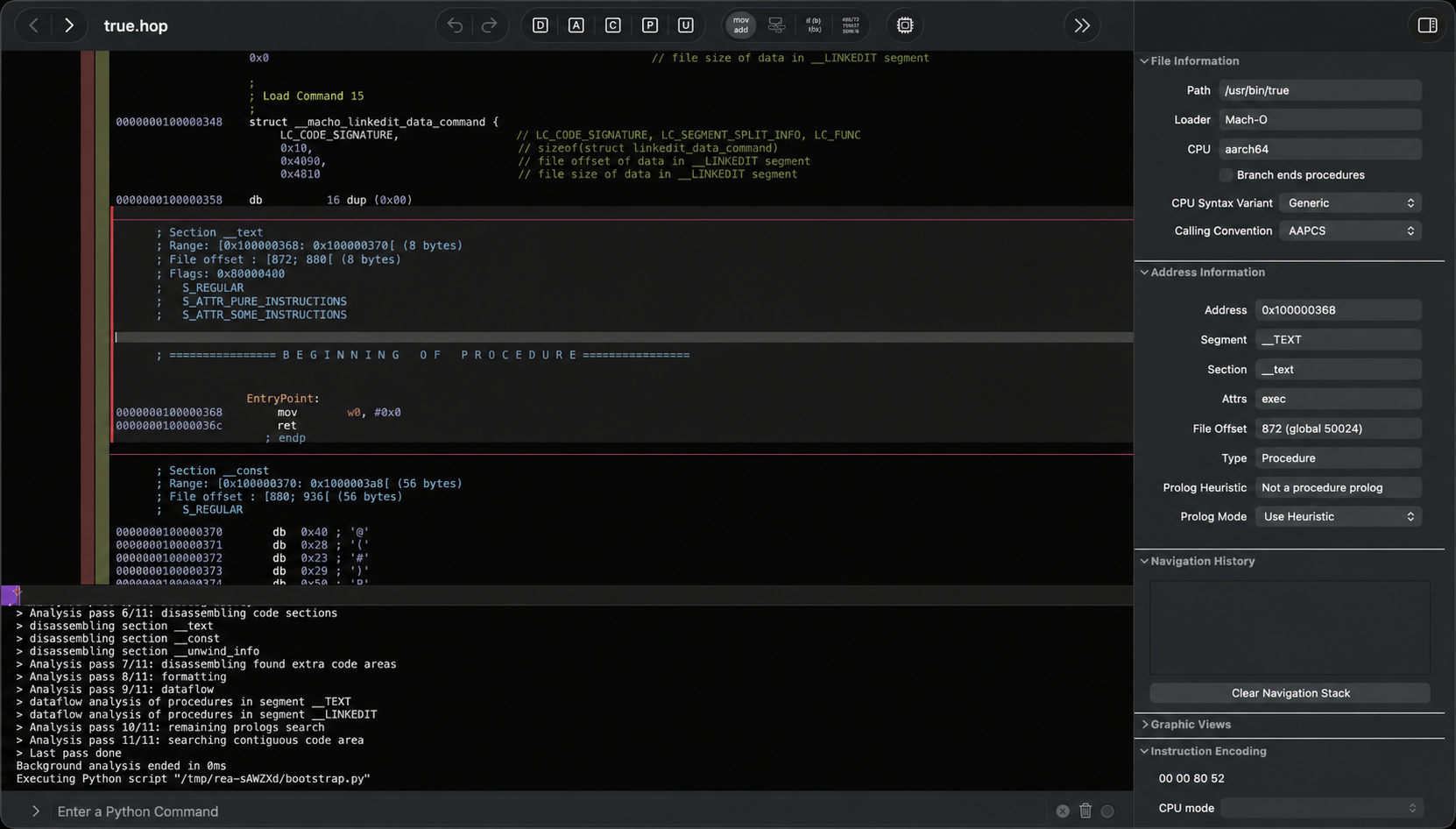
See a feature in an app that you want in your own product? Ask your agent to investigate it with REA. It can inspect the app without its source code, explain how the feature works, show the evidence, and build a version for your project.
REA connects your agent to tools for inspecting native binaries, JavaScript and Electron apps, .NET assemblies, and websites. You can also use the same tools from your terminal. Analysis runs locally, and results include the evidence and limitations behind each conclusion.
Setup registers REA with your agent and installs matching workflow instructions. Native analysis can use an existing Hopper or Ghidra installation; setup can optionally install Hopper with approval. Static JavaScript analysis needs neither engine.
Visit the REA website for setup instructions, illustrated guides, and real case studies.
Quick start
Set up your agent
With Node.js and npm installed, run:
npx rea-agents setup
Choose your agents, review the proposed changes, and approve them. Setup adds REA's MCP server and matching workflow instructions, with backups of existing configuration. Restart your agent afterward.
Setup supports Claude Code, Codex, Cursor, Gemini CLI and other agents. See installation and setup for provider configuration and manual MCP registration.
Ask your agent
Understand how search works in the Notes app, show me the evidence, and build a
similar feature for my project.
Replace Notes with your target app and the feature you want to understand.
Use the terminal
Inspect an extracted JavaScript/Electron app directory or ASAR:
npx -y rea-agents@latest analyze-javascript-application /absolute/path/to/app --json
The result includes modules, imports, Electron boundaries and their evidence.
Replace the path with your target, such as "D:/apps/example" on Windows.
To install the rea command for regular use:
npm install --global rea-agents
rea --help
For native analysis, configure a provider first. See the CLI and Evidence guide for native commands, provider selection, snapshots and scripting.
Update REA
REA changes quickly, and new releases include frequent bug fixes. Keep your installation up to date.
For an npm-installed CLI:
rea update
To refresh your agent registrations and skill, run the setup command printed by the update.
If you use npx, update your agent setup with:
npx rea-agents@latest setup
Review the setup changes and restart your agent. For one-off CLI commands,
use npx rea-agents@latest followed by the command.
How REA works
Your agent calls REA through MCP to inspect the target and trace relevant code. REA returns findings with their evidence. The agent uses them to ask follow-up questions, explain the behavior, or write and test an implementation. CLI commands use the same workflows.
What you can analyze
REA requires Node.js 22.x (>=22.19), 24.x (>=24.11), or 26+, plus npm. Additional tools and host support depend on the target:
| Target | What REA returns | Requirements and guide |
|---|---|---|
| Native binaries | Pseudocode, assembly, strings, symbols, calls and references | Hopper, Ghidra or IDA; native analysis |
| JavaScript / Electron | Modules, imports, source maps, routes, IPC and native add-on relationships | Node.js and npm; application analysis |
| Websites | Page structure, scripts, network observations and requested screenshots | A Chrome-family browser; browser analysis |
| Saved network captures | Requests, responses, exposed payloads and source locations | HAR; mitmdump on Linux for native mitmproxy captures; capture guide |
| .NET assemblies | Metadata, CIL instructions, declared native dependencies and build comparisons | Static inspection; managed-code guide |
| Android APKs | Manifest declarations, classes, decompiled methods and references | Headless JADX and a full JDK on Linux/macOS; Android guide |
| Firmware | Regions, extraction results and native-analysis handoffs | Binwalk / Unblob on Linux; firmware guide |
| Packages and resources | File inventories, digests, plists, Apple bundle anatomy and extracted resources | Artifact and JavaScript guide, Apple applications |
| Process behavior | Terminal output, interactions, exit and filesystem observations, and run comparisons | Linux/macOS with a native PTY; process capture |
Static JavaScript and .NET inspection read the supplied files without running the application. Runtime capture runs or interacts with the selected target using your user permissions; each runtime guide describes its effects.
Native formats and host support vary by provider. See Hopper and Ghidra setup, the IDA guide, and experimental Windows Ghidra support. Ghidra also supports 16-bit DOS analysis. For provider selection, see the CLI guide. Check release availability for features added since the latest npm release.
Showcases
DX-Ball: reconstruct a sound-pan calculation
Follow a sound call into its position-to-pan helper, inspect the instructions, and turn incomplete pseudocode into C. The reconstruction passes 3,205 original-x86 cases and reproduces all 63 compiled function bytes.
Read the case study · Reconstruction repository
Notion: trace the Electron clipboard bridge
Find the renderer's clipboard API, follow it through preload and IPC into the main process, and inspect the rich clipboard format.
TH04: recover a DOS bullet-ring calculation
Inspect the original PC-98 game's 16-bit instructions, recover the fixed and aimed angle calculations, and compare the reconstructed C++ with the historical compiler output.
Read the case study · Reconstruction repository
If you've used REA on something interesting, we'd love to see it. Share your case in an issue or a pull request, including the target, your question, how REA helped, and what you found.
FAQ
Which agents can use REA?
Any agent that supports local MCP servers. Setup configures the supported agents; other clients can use manual MCP registration.
Do I need Hopper, Ghidra or IDA?
Deep native analysis uses one of them. Static JavaScript and .NET inspection work without a native analysis engine. Setup can install Hopper after approval; Ghidra and IDA use your existing installations. See provider setup.
Do I need to start Hopper first?
REA starts Hopper when an operation needs it. On macOS, a first-run dialog may ask you to choose demo mode or activate your license. See Hopper startup and troubleshooting.
What does installing the skill from skills.sh do?
The skill supplies investigation instructions for your agent. Use rea setup
to register REA's MCP server and install the matching instructions, then restart
your agent. See skill-only installation.
What code does REA return?
Native analysis returns pseudocode and assembly. JavaScript/Electron analysis recovers modules and their relationships. Your agent uses these findings to write and test an implementation; the showcases give worked examples.
Does REA upload my app?
REA analyzes targets locally. Your agent receives the tool results, and its model provider has its own data policy.
What should I do if I hit a bug?
Update first; a recent release may already fix it.
For an npm-installed CLI:
rea update
For agent setup through npx:
npx rea-agents@latest setup
If you're using an agent, complete the setup refresh and restart it. Retry the same task. If the problem persists, open an issue with your REA version, target type, steps to reproduce and error output.
Documentation
Start with the website's worked guides. For exact options, prerequisites and result contracts:
- Installation and setup: agent registration, provider configuration, updates and uninstall.
- Readiness and troubleshooting: diagnose one agent or analysis engine.
- CLI and Evidence: commands, provider selection, snapshots, import/export and exit statuses.
- MCP contracts and agent prompts: tool results, sessions and guided investigations.
- Tool catalog: generated inventory of tools, providers and CLI commands.
- Roadmap: planned work and capability trackers.
Report vulnerabilities through SECURITY.md.
Contributing
We'd love your help with REA! Open an issue to report a bug or suggest a feature, or send a pull request to improve the code or docs.
See CONTRIBUTING.md for development setup and checks, testing for verification lanes, and the architecture map for the project structure.
Project links
Website · npm · skills.sh · Issues · Security
License
Star history
Disclaimer
REA provides tools for lawful reverse-engineering research, analysis, and reconstruction. You are responsible for obtaining any required authorization and complying with applicable laws. The project does not endorse illegal or unauthorized use.