
app
A one-of-a-kind resume builder that keeps your privacy in mind. Completely secure, customizable, portable, open-source and free forever. Try it out today!
 reactive-resume
- 评测生成时间(北京时间)
- 本报告引擎
- v3.14.0
- 当前引擎
- v3.16.0
本报告与当前引擎使用不同规则;原分数不会自动更新,不同版本的分数不宜直接对比。
进入后确认来源与额度,提交才会创建任务。
综合采用结论
存在需要人工复核的风险或证据不足
- 基础评测完成+25/25确定性评分与静态安全扫描已完成
- README 有效证据+14/255,424 个去重后的有效字符
- 独立证据来源+20/207 类非重复证据,重复文件不叠加
- 仓库元数据+10/10已取得仓库状态与采用数据
- 活跃记录+5/5已取得最近提交时间
- AI 复核+15/15已完成结构化 AI 证据复核
Reactive Resume 自托管组件关系
README 以组件与依赖关系描述自托管栈,无请求时序细节,故用架构图
左右滑动查看完整图示
- • Quick Start:docker compose up -d 后访问 http://localhost:3000
- • Self-Hosting:PostgreSQL 存储用户数据与简历;SeaweedFS(可选)S3 兼容存储
- Quick Start 章节:git clone --depth=1、docker compose up -d、open http://localhost:3000
- Features 章节列出 Multiple export formats (PDF, JSON, DOCX) 与 15 templates、A4 and Letter page sizes
- Self-Hosting 章节:v5.1.0 起 PDF 客户端生成,PRINTER_* 与 BROWSERLESS_* 环境变量不再读取
- 顶部 IMPORTANT 提示仓库迁移至 reactive-resume/app,Docker Hub 镜像名不变
- License 章节:MIT,链接 ./LICENSE
- 问题与用途描述
- 有效 README
- 安装或接入步骤
- 可执行示例
- 功能清单具体:PDF/JSON/DOCX 导出、15 个模板、A4/Letter、拖拽排序、AI 集成
- 发现提示词或系统信息提取意图
- 缺少输入、参数或工具说明
- 缺少输出或结果说明
- 缺少限制、权限或边界
- 缺少输入、参数或工具说明,无法核实配置项与调用方式
需要自托管、注重数据隐私的个人简历制作、希望快速用 Docker 本地跑起简历应用的用户、需要多模板与多格式导出的求职者
需要完整 API/参数文档做二次集成的开发者、需要离线排障手册与错误码说明的运维场景
也有自己的公开项目?先看完证据,再用当前规则生成独立报告。
评测我的项目 →prompt-extraction.env.example:108high confidence# or token exfiltration. Only enable this on a trusted, self-hosted instance.修复:移除提示词提取逻辑,并增加敏感上下文不可输出的边界说明。
- 01移除提示词提取逻辑,并增加敏感上下文不可输出的边界说明。
- 02补充输入、参数或工具说明
- 03补充输出或结果说明
- 04补充限制、权限或边界
方法、证据与局限展开收起
GitHub Repository API
25 个文件 · 58,833 字符
v3.14.0 · AI 复核已启用(deepseek-flash)
- 静态评测不会安装或执行项目代码
- 安全扫描基于高信号文件与已知模式,不能替代人工审计
- 流行度只反映采用程度,不代表安全或工程质量
30 天热度趋势
README
[!IMPORTANT] Repository moved: Reactive Resume now lives at
reactive-resume/reactive-resumeon GitHub. Docker Hub stays atamruthpillai/reactive-resume. GHCR builds now publish toghcr.io/reactive-resume/reactive-resume. Verified image tags:latest,v5,v5.3, andv5.3.0(AMD64 and ARM64). The current version was rebuilt and production redeployed for this rename; no new GitHub release or version bump was made. See migration details. GitHub Sponsors and Open Collective funding links remain unchanged.
Reactive Resume
Reactive Resume is a free and open-source resume builder that makes it easy to create, update, and share your resume.







Pick a template, fill in your details, and export to PDF. Basic use needs no account. If you want more control, you can run the whole application on your own infrastructure.
You own your data. The codebase is open source under the MIT license, with no tracking, no ads, and no hidden costs.
Features
Resume Building
- Live preview as you type
- Multiple export formats (PDF, JSON, DOCX)
- Drag-and-drop section ordering
- Custom sections for any content type
- Rich text editor
Templates
- 15 templates to choose from
- A4 and Letter page sizes
- Customizable colors, fonts, and spacing
- Structured Style Rules for section and text styling
Privacy & Control
- Self-host on your own infrastructure
- No tracking or analytics by default
- Full data export at any time
- Delete your data permanently with one click
Extras
- AI integration (OpenAI, Google Gemini, Anthropic Claude)
- Multi-language support
- Share resumes via unique links
- Import from JSON Resume format
- Dark mode
- Passkey and two-factor authentication
Templates
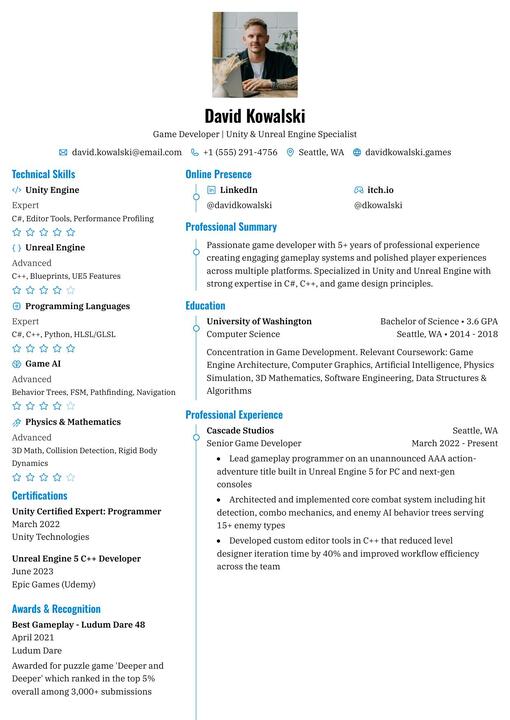
Azurill |
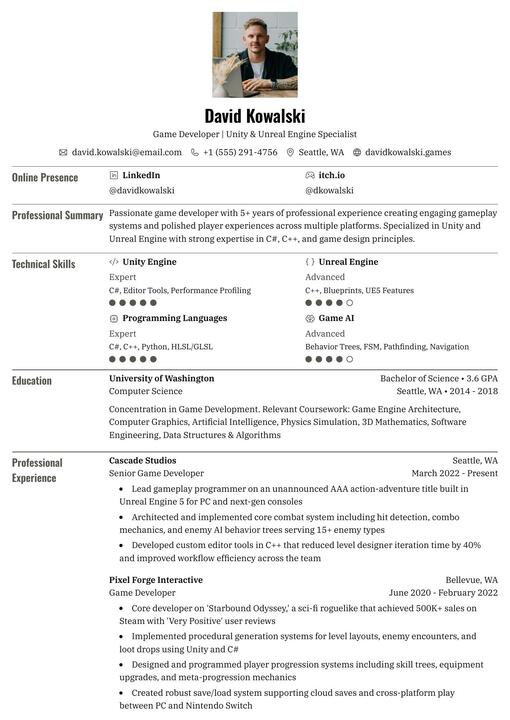
Bronzor |
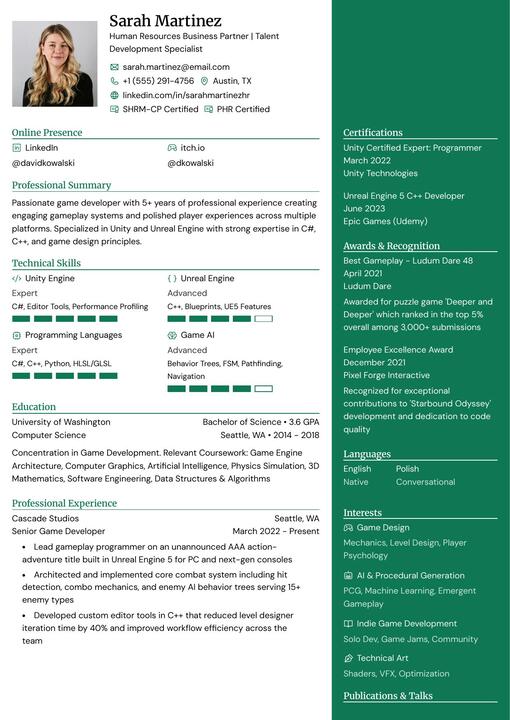
Chikorita |
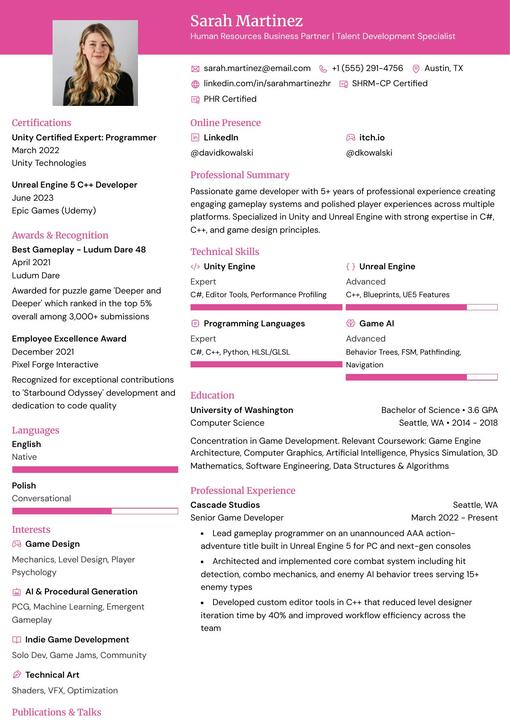
Ditto |
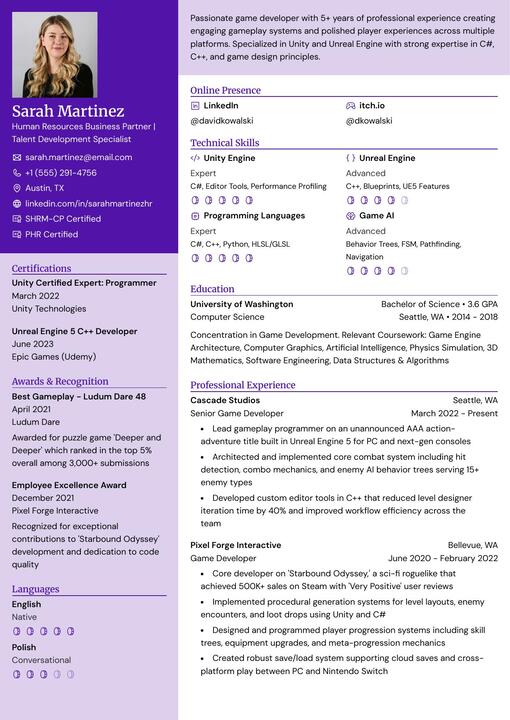
Gengar |
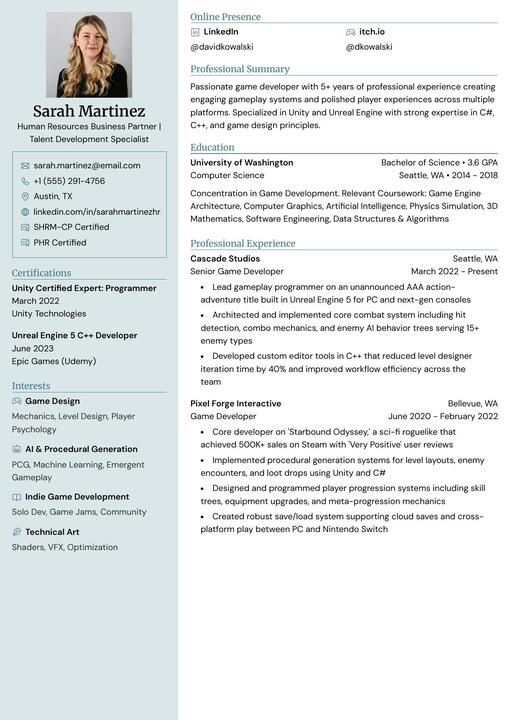
Glalie |
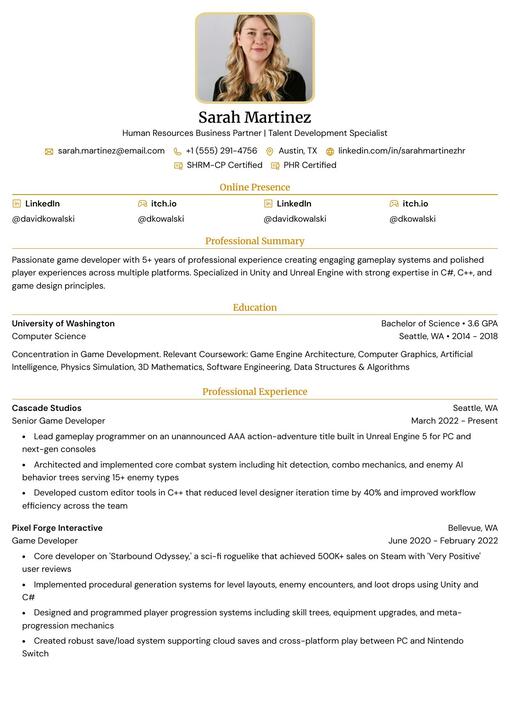
Kakuna |
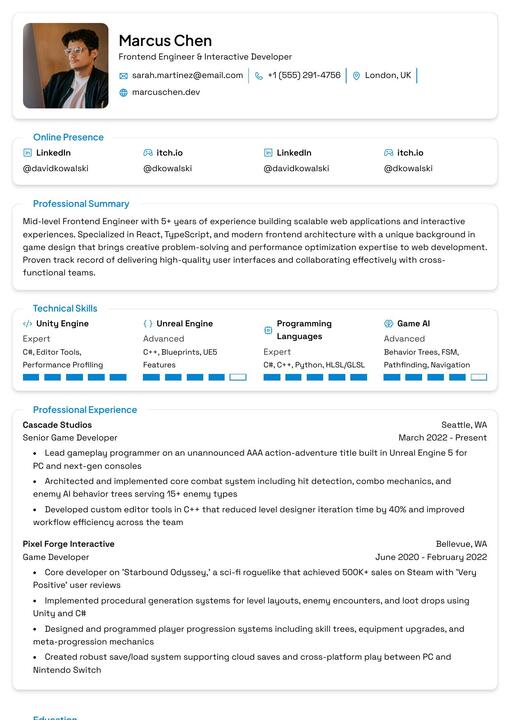
Lapras |
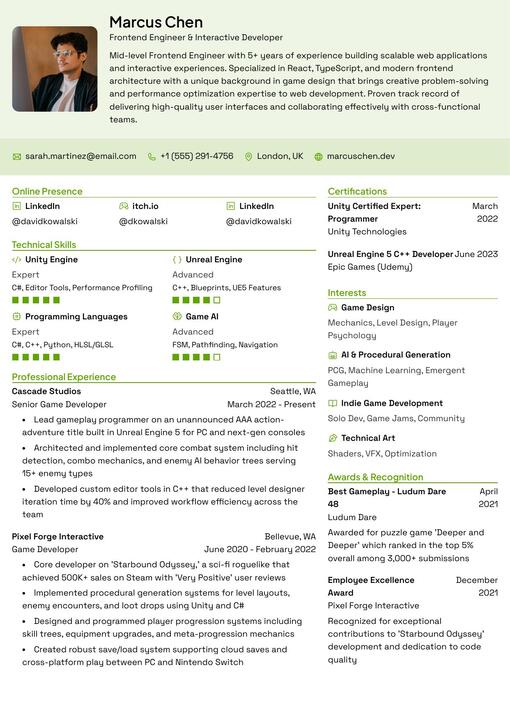
Leafish |
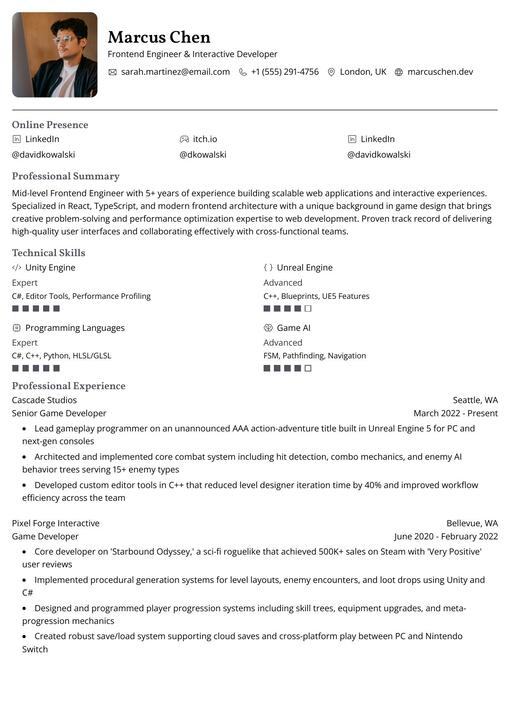
Onyx |
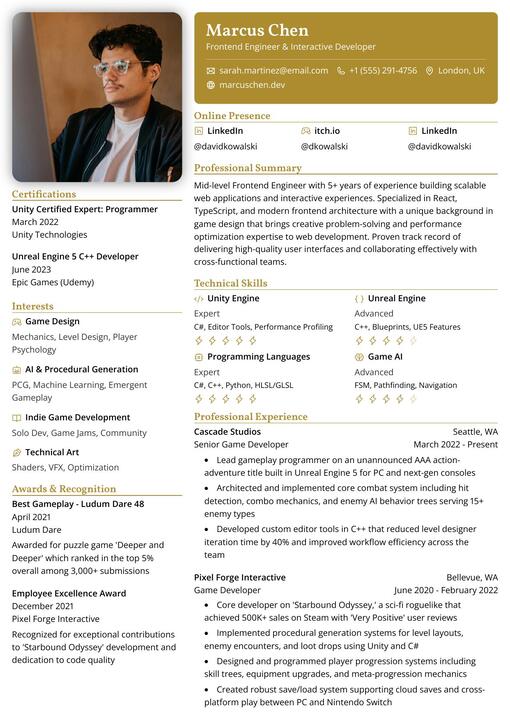
Pikachu |
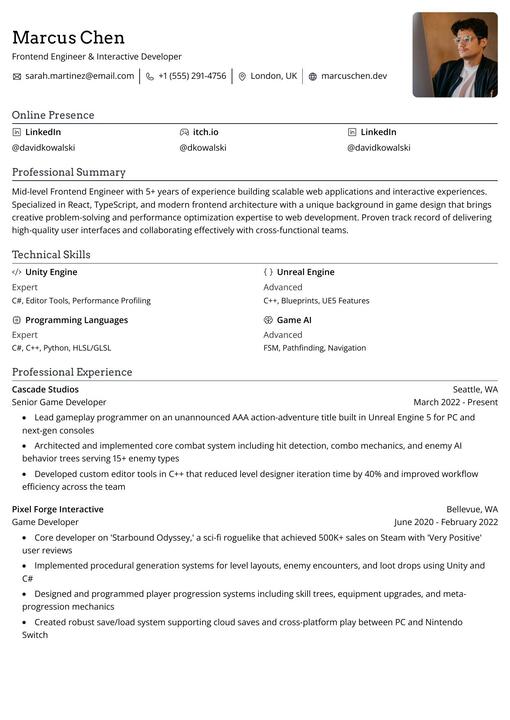
Rhyhorn |
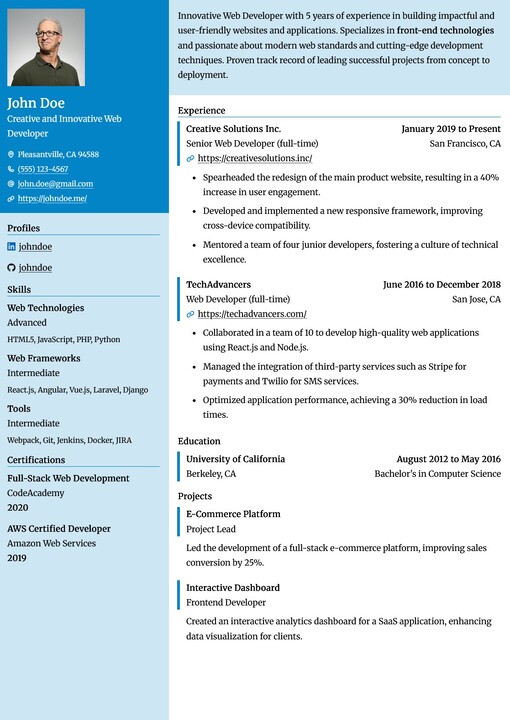
Ditgar |
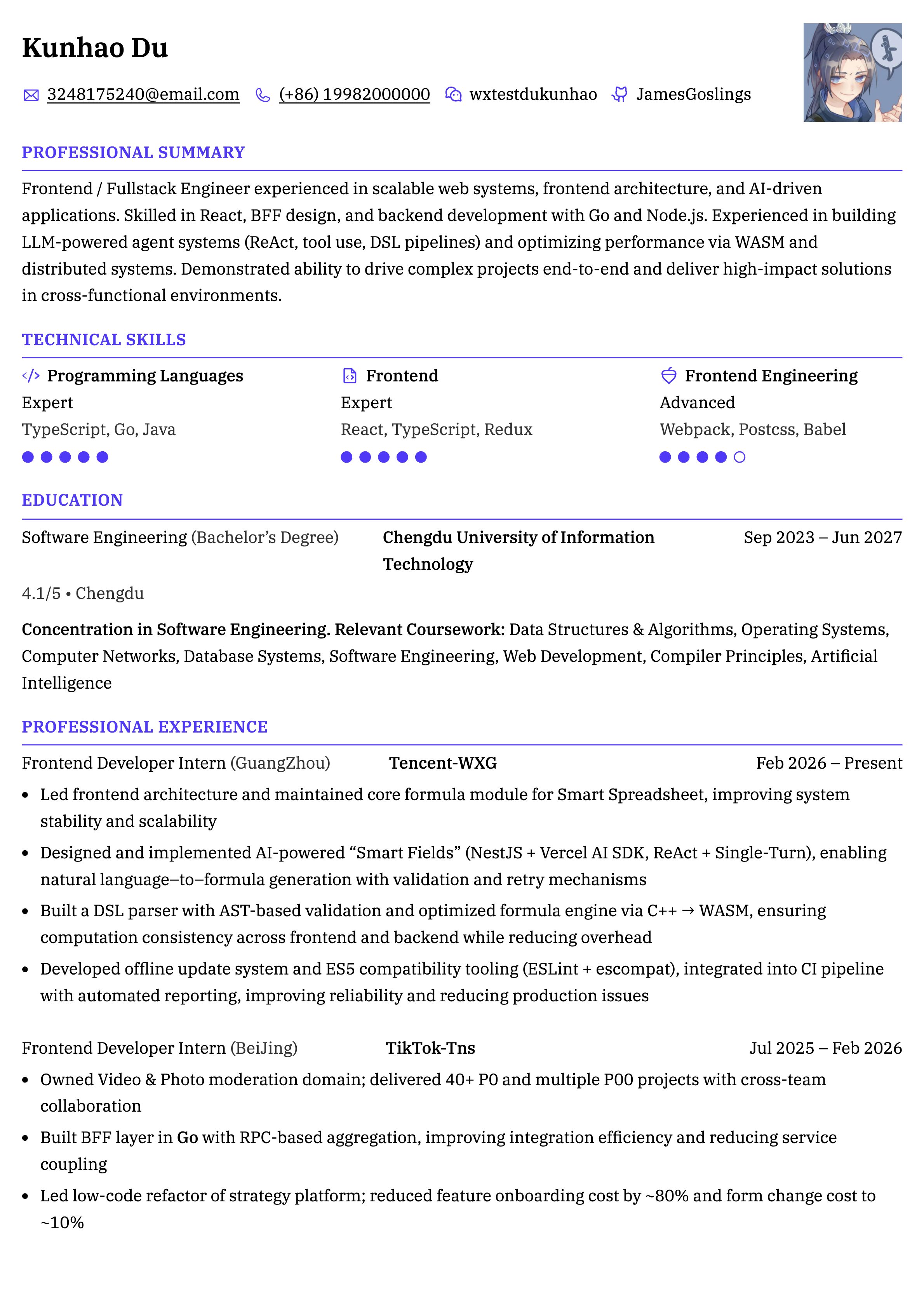
Meowth |
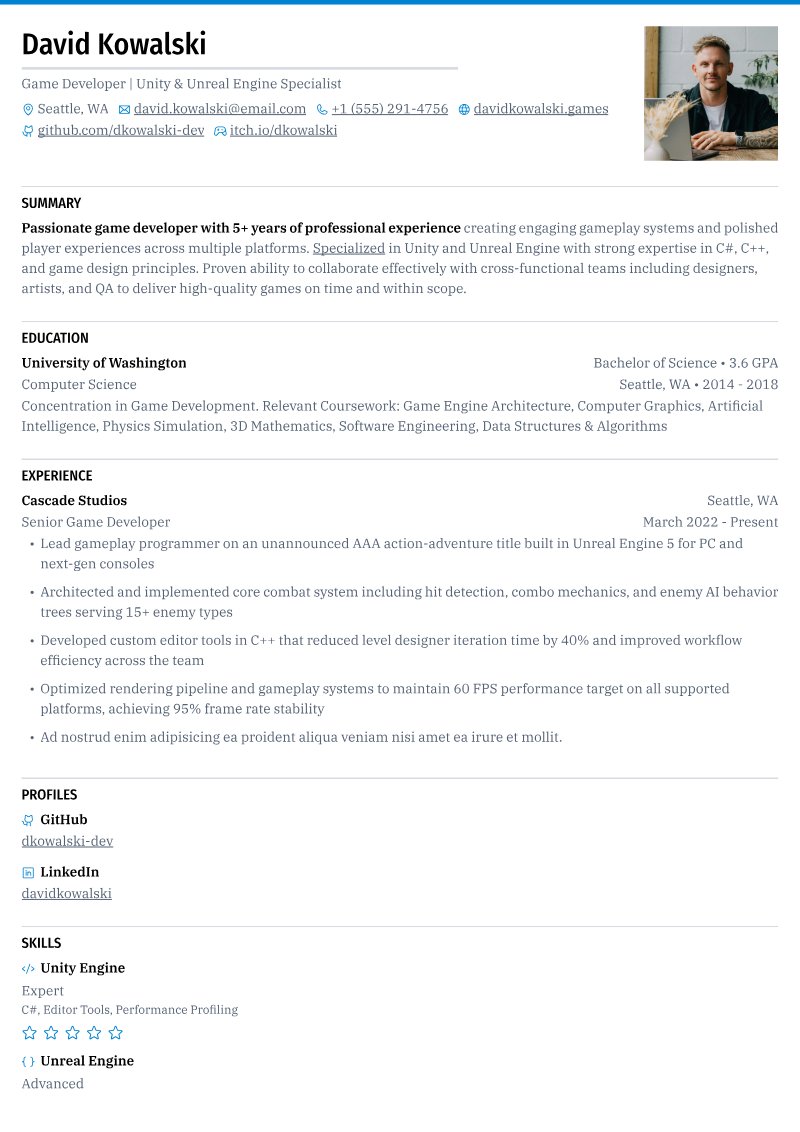
Scizor |
Quick Start
The quickest way to run Reactive Resume locally:
# Clone the repository
git clone --depth=1  https://github.com/reactive-resume/reactive-resume.git reactive-resume
cd reactive-resume

# Start all services
docker compose up -d

# Access the app
open http://localhost:3000
For detailed setup instructions, environment configuration, and self-hosting guides, see the documentation.
Tech Stack
| Category | Technology |
|---|---|
| Framework | TanStack Router (React 19, Vite) |
| Runtime | Node.js |
| Language | TypeScript |
| Database | PostgreSQL with Drizzle ORM |
| API | ORPC (Type-safe RPC) |
| Auth | Better Auth |
| Styling | Tailwind CSS |
| UI Components | Base UI + shadcn-style package |
| State Management | Zustand + TanStack Query |
Documentation
The full documentation lives at docs.rxresu.me:
| Guide | Description |
|---|---|
| Getting Started | First-time setup and basic usage |
| Self-Hosting | Deploy on your own server |
| Development setup | Local development environment |
| Project architecture | Codebase structure and patterns |
| Exporting Your Resume | PDF and JSON export options |
Self-Hosting
Reactive Resume supports Docker and Vercel Hobby.
Vercel provisions Neon PostgreSQL, private Blob storage, and Upstash Redis through its deployment wizard. Supply two persistent secrets, then deploy. See the Vercel guide for setup, limits, and optional SMTP/OAuth configuration.
For Docker, the stack includes:
- PostgreSQL — Database for storing user data and resumes
- SeaweedFS (optional) — S3-compatible storage for file uploads
From v5.1.0 onwards — PDF generation runs entirely client-side via
@react-pdf/renderer. New deployments no longer need Browserless, Chromium, or any external print service. ThePRINTER_*andBROWSERLESS_*environment variables are no longer read and can be removed from your.env.
Pull the latest image from Docker Hub or GitHub Container Registry:
# Docker Hub
docker pull amruthpillai/reactive-resume:latest

# GitHub Container Registry
docker pull ghcr.io/reactive-resume/reactive-resume:latest
See the self-hosting guide for complete instructions.
Support
Reactive Resume is and always will be free and open source. If it has helped you land a job or saved you time, please consider supporting continued development:


Other ways to support:
- Star this repository
- Report reproducible bugs and suggest actionable features
- Help other users in GitHub Discussions
- Improve documentation
- Help with translations
Star History
Contributing
Every contribution helps, whether it is a typo fix or a new feature.
- Fork the repository
- Create a feature branch (
git checkout -b feature/amazing-feature) - Commit your changes (
git commit -m 'Add amazing feature') - Push to the branch (
git push origin feature/amazing-feature) - Open a Pull Request
See the development setup guide for how to run the project locally.
Maintainers review the status: needs triage queue
weekly. Triaged bugs become status: confirmed; feature proposals become status: accepted; reports that need details become
status: needs info.
License
MIT — do whatever you want with it.